
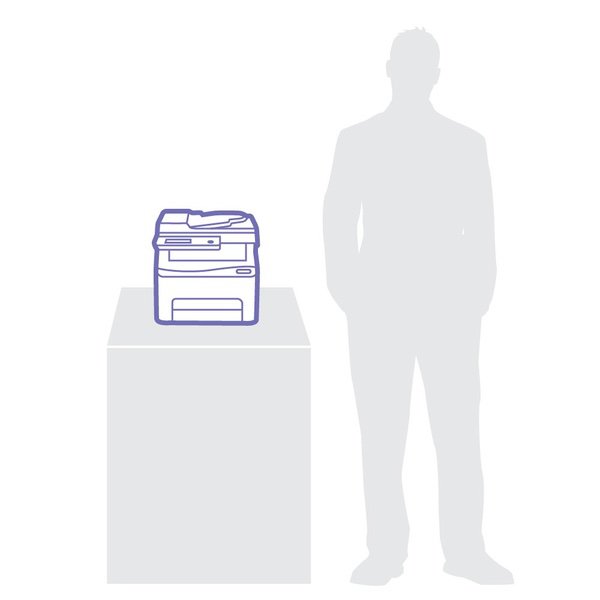
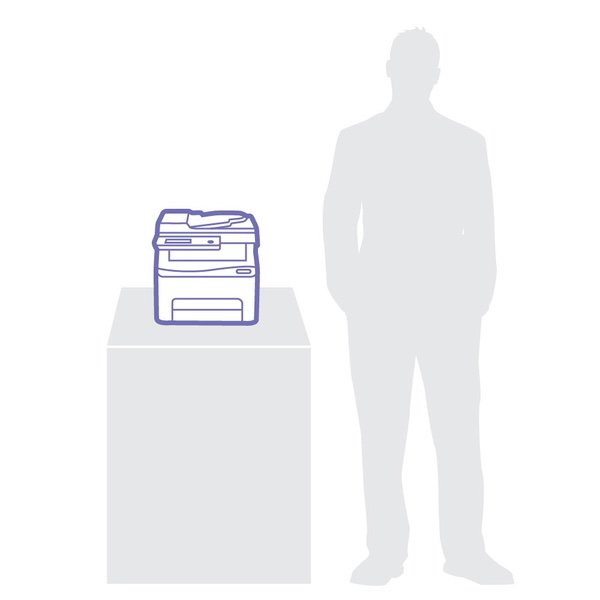
Xerox WorkCentre 6027/NI Wireless Color Multifunction Printer

اكتب تقييم
B00STQYFIU
Printer w/ Toner Bundle
Target is a general merchandise retailer with stores in all 50 states and the District...

المدينة: KW, New York

Delivery
Pickup at your own expense
Tomorrow from 09:00 to 20:00, Store location
Free
Payment options
Apple Pay Google Pay Mastercard Visa
Cash, bank card, credit/installment payments, cashless payment for legal entities
Warranty and returns
Exchange/return of products of proper quality within 14 days Official manufacturer's warranty: 12 months
Features
Style
Printer w/ Toner Bundle
Description
  • The compact Phase 6022 color LED printer excels in small office environments
  • Xerox WorkCentre 6027NI Color LED MFP (18 ppm) (525 MHz) (512 MB) (8.5" x 14") (1200 x 2400 dpi) (Duty Cycle 30 000 Pages) (p/s/c/f) (USB) (Ethernet) (Wireless) (Energy Star) (150 Sheet Input Tray)
  • Color Laser. Compact MFP with Wi-Fi connectivity excels in small office environments
  • Paper capacity-Tray (Main tray)- 150 sheets. Paper size-Custom sizes-3 x 5 inches to 8.5 x 14 inches. Document handler Capacity- 15 sheets. Connectivity-10/100BaseTX Ethernet, High-Speed USB 2.0, Wi-Fi Direct, Wi-Fi b/g/n
Reviews
2.3
التقييمات: 20
5 نجمة
20%
4 نجمة
10%
3 نجمة
5%
2 نجمة
10%
1 نجوم
55%
Amazon Customer
1
1 Year Update: Worst color laser multi-function printer Ive ever purchased. I cant even express the intensity of the frustration Ive received from my coworkers over my choice to purchase this printer. It now sounds like a JACKHAMMER while printing. Im purchasing an HP or Brother printer next. ​UPDATE: Using genuine toner has the printer functioning again. It still is a frustrating printer. Im purchasing my second $275 bundle of toner because the yellow is low. Why? Because even when Im printing documents that are primarily line-art, it uses all of the colors to print black, if Im printing any color at all. Why in 2018 is this printer so terrible? I thought we had these wasteful toner practices done away with a decade ago. That was indeed the case with the HP and Brother Machines Ive used for the past 15 years or so. I should have put up with the replacement part requirements of those machines because it was considerably less expensive than the toner cost of this one. Original Review: I had high hopes for this, having used high production Xerox machines in the past. In my current office, weve been using Brother printers for some time. Every four years or so, they need replacing, so I thought I would try something that I hoped would have better longevity. This printer does not. The first problem is that it is painfully slow. Printing reports or checks that take seconds with a Brother machine (or an HP, I have one of those that works well) take MINUTES PER SHEET!!! My office manager would glare at me every time she needed to print something! Then, it wouldnt fuse completely on the right edge of the paper; it would place a lighter copy of the text on repeat down the side, making it useless for pretty much anything. The third problem is that it uses all four colors when I print black and white! It burnt through the toner that comes with it like a wildfire. So I ordered some third-party replacement cartridges. That was the end of the line. It started throwing an error code, ​and when the service technician came out, he said I would have to put genuine Xerox toner in it for him to fix it. The set of toner is currently $50 more than the printer itself. While I wait for this toner to arrive, I am left to ponder how terrible this printer is.
Ethan
1
When I ordered this printer I had high expectations, the name Xerox is known as one of the best brands of printers you can buy. The first few copies were fine but after about a week, the printer no longer recognizes cartridges and has a “low density” error! I ordered a new one and am having the same problem!
Jordan
1
Printer broke within a week of having it and only printing twice. Said it had a paper jam and it didn’t. Called repair man through warranty and he immediately new what was wrong, ordered a part, and fixed it. It then broke again the very next time it printed with the exact same issue. We have been too lazy and unmotivated to try to get it fixed again. It has been a useless paperweight in our office. It was almost 300 when we bought it a year ago. Complete waste of money, do not buy this printer.
Michael J. Stanek
4
Ive had more than one Multi-Function Printer/Scanner/Copier/Fax Machine before, but Id always stuck to monochrome laser for my primary use at home, and when my wife did insist on a color printer, I opted for a Samsung, because thats what I was used to. The Samsung isnt bad, but I have a feeling Ill be getting a Xerox WorkCentre 6027 (or whatever the contemporary Xerox model is when my Samsung dies). When my grandmothers color copier (an HP, OF COURSE-- I HATE HP printers/copiers/scanners/and notebook PCs WITH A PASSION) stopped working, I was browsing Laser Printers because ink jets are obviously far less efficient. When I came across the Xerox WorkCentre 6027, I had a feeling that this would be a game-changer, and I was right. Unfortunately, within a year, my grandma had to change from Independent Living to Memory Care, and no longer had space for such a substantially-sized machine. As it happened, my office was having print/copy/fax/scan trouble, and they offered Grandma full retail for her printer and the toner, which she gladly accepted, especially because she would have nowhere to keep the machine anymore, anyway. Previously, our office had an *oldschool* Xerox copier when I started as part-time tech support here, but after about 10 years of service, the thing finally stopped working, so I had found a deal on a Samsung model with a MUCH smaller footprint that was cost-effective and which I could find extremely inexpensive monochrome toner cartridges for. I bought 3 of those machines, but within another 10 years, all 3 of those were broken, and when I consulted a repair specialist, the replacement part and the labor was quoted at double the cost of the Multi-Function machine itself, and they were only monochrome machines anyway. Enter this Xerox WorkCentre 6027 from my grandma. It slid right into the spot that the Samsung had occupied, and while it was a little bit bigger, we were able to accommodate the size difference in order to give the Xerox a try. This thing has been GREAT, and toner has been reasonably priced, considering that there are 4 different cartridges for this machine, including black. If I had to suggest ONE thing for Xerox to change about this machine, it would be to include a different feed option for envelopes, because in order to print envelopes, we have to take out all of the 8.5 x 11" paper, reconfigure the paper tray, and put the envelope in, just to print one. Thats wildly inefficient, and sometimes we just end up hand-writing our envelopes, which looks substantially less professional.
Brandon Rickard
1
This product came with two color ink cartridges that were empty. Cyan and Magenta. Its great for the money but very slow printing. If you are in no hurry, you will have no problems with it. Overall, it is a great printer for the money. Im just a little upset about getting it w/o ink since I bought two for the office and both had little to no color ink left. We had to order ink for two printers in the first week. Update 3-15-18: I had purchased two of these printers and they both had the same issue. The ink for color shows empty from the factory and new purchases and thus will not print. I paid to new ink for two printers for nothing and paid $30 in packing to return these things. In all, we have lost at least $100 that we will never get back.
Ken
2
After owning two for a couple of years, the printer works great and comes at an incredible price. Its operation deserves 5 stars.The cost of the cartridges makes it an expensive throw-away. New printer with cartridges $220. A set of new cartridges $242 from Xerox(the lowest price supplier). I bought some compatible cartridges that sell for about $20 each. They ruined one the machine that was a few months old. Xerox replaced it,not repaired it, under warranty after the service tech confirmed the toner in the compatible ruined the printer.
A. Hales
1
Update. This printer went in the trash and probably got fewer than 20 pages printer. Total waste. We hardly every need a printer so this one has barely been used although weve had it for about 6 months. Really it just sits. Now we need it for homeschooling our grandkids and it keeps giving us errors. My husband is an IT Director and even he cant get it to work. He researched on line only to find others reporting the exact same thing with this model. I just read a review by another Amazon purchaser who said he bought off that did this also. Amazon replaced it and the replacement did the same thing but Amazon wouldnt replace it again so he had to go through Xerox tech support that didnt help him. Here is how he found a solution: ". Xerox support was useless. I do have to say that after a couple of hours of fooling with this thing I did finally find firmware updates. Now you only have a 10 second window to do this but you have to power cycle the printer and get to the sys admin software tools setting and enable software downloads and press OK. Then install the firmware update, I did mine through the network since I have the copier connected via Ethernet. You can search Xerox.com support for the firmware install instructions. the instructions stink but if you keep at it you figure it out. You have to go the device and enable firmware updates. You press the bottom white button that looks like a copier then select tools admin settings scroll down to page 2 secure settings scroll down to page 2 software download enable OK. Then run your firmware updates, the screen on the printer will show if the firmware is installing correctly. Then your printer should be able to print."
Joel Jensen
3
This printer is fairly good for what the price is. It is a little bit simple as far as lazer printers go and not a lot of flash. However, the speed of the printer is quite good, and I was impressed with the quality of the printing. The 3 star rating is because the printer itself is a little glitchy. I initially had issues getting it connected to the network and computers, but once they were all linked, there were no issues. I have also had substantial issues with the ink cartridges. I wanted a printer that would keep printing, even if it ran out of ink. That has not been my experience with this printer so far. However, I have only gone through the starter cartridges (which I got about 50 pages out of before they had to be replaced.) With the starter cartridges, apparently it is a known issue that it will cause a lot of problems if you run out of ink. It comes up with a low color density issue, meaning the ink it stores inside the printer is depleted. (Thus why I think it wont print when it is out of ink.) With the black, it took me several days of troubleshooting and power cycling to get it to work. I had to report an issue with their technical support when I had issues with the color cartridges. The repairman told me that this is a known issue with their starter cartridges, and about half the time it causes the printer to be replaced. I would highly recommend buying replacement cartridges and installing them right away if you purchase this printer, it will help to avoid the issue, and potentially prevent your printer from being down for a week or two. I purchased the "LD © Compatible Xerox 6022 & 6027 Set of 5 Laser Toner Cartridges Includes: 2 106R02759 Black, 1 106R02756 Cyan, 1 106R02757 Magenta, & 1 106R02758 Yellow". It was signifantly cheaper and so far I have had good luck with them. They arent as snug as the Xerox brand, but its because Xerox places padding on their cartridges. If this matters to you, you can just remove the padding from the old cartridges and place them on the new ones. Also, Xeroxs technical support was very fast and efficient. I had a repairman sent out to my location the next day to fix the issue. I was expecting to have to either drop it off or mail it in, so this was a pleasant surprise. I live in Denver, CO, so I dont know if my location matters with the ease of the repair.
Must.. Use... AMAZON
4
I am a home user who has been tired of the issues with your basic all-in-one $100 printers. Specifically regarding the two prior Brother brand all-in-one printers I owned: the cartridges were terrible and did not last, the nozzles were clogged sometimes, there will still visibly be ink left in the cartridge(s) but the printer insisted I was out, and one of the most frustrating things was when I would be out of one color and the printer would still not allow me to print black and white Word documents. What?? Do yourself a favor if you are tired of cheap printers and annoyed with all the issues they cause with the ink cartridges, and buy this printer (or a similar one in its class, but this would be a great choice). I love the wireless function that allows me to print from both my android and apple devices, the cartridges in this printer kick ass and arent puny compared to the cheaper, lousier printers. I have done a decent amount of printing in this thing since I bought it and I still have 90%-95% of my ink level remaining. (My old printer would probably be 60% after it does its weekly "printer maintenance" and takes a chunk of my ink level... sure, it was smaller, but not efficient or of great quality either). Also, the print quality is excellent, mainly because it is a LaserJet printer and not an Inkjet (do not be cheap and buy an Inkjet). A drawback with most printers is the amount of paper it can hold. This one is no exception. Unless you choose to spend at least $500+ on a printer, you are somewhat out of luck in that department.
melinda
2
Just begin to use this printer and finding out that the Ink is running out faster than it indicated. Replaced the black and yellow toner. We have not printed over 50 copies. Wow, this is a bummer if the printer is acting like this and my return window is closed. Spouse had problems with toner requesting to change. I am not sure if this was a sample tuner or if its the full amount you would get with a new toner would be. I am not feeling this printer. I have three printers so to use this printer, I was not in a hurry to use it. I have had nothing but issue with this printer. However, when I call Xerox that will assist me. I am having problems faxing. I had to unstalled the software to see if that would work. No. I was on the phone for 90 mins no success. I spent 4.5 hours today trying to get it to work.

Showing 10 of 20 review

Product variations
Column filling
ترتيب بواسطة السعر ترتيب بواسطة الامكانية ترتيب بواسطة الكود ترتيب بواسطة Style
اتصل بنا لمعرفة السعر
متوفر بالمخزون
B00STQYFIU
Style:
Printer w/ Toner Bundle
You may be interested
  • Bestsellers
  • Recently Viewed
 
Similar products
KD‎ 669.00
Operating System Windows, Mac Printer TechnologyInkjet
KD‎ 379.00
Operating System Printer TechnologyLaser
KD‎ 474.40 KD‎ 1,186.00 -60%
Operating System Windows, Mac Printer TechnologyInkjet
KD‎ 104.00
Operating SystemWindows Printer TechnologyInkjet
Show more




