
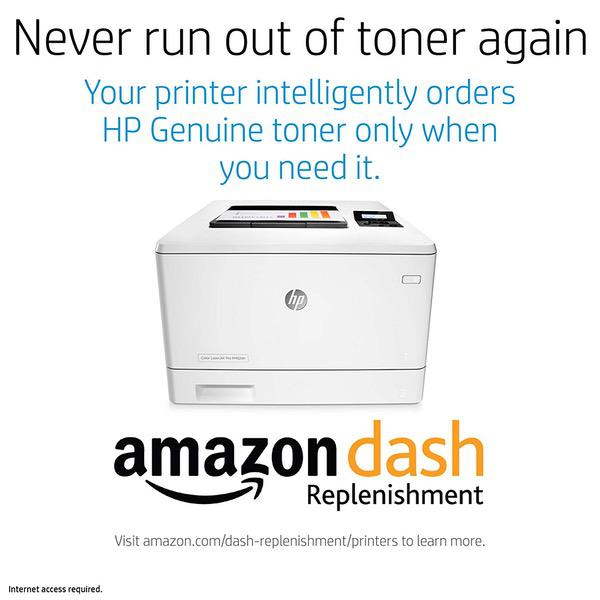
HP LaserJet Pro M452dn Color Laser Printer with Built-in Ethernet & Duplex Printing (CF389A) with Standard Yield 4 Color Toner Cartridges
اكتب تقييم
KD‎ 688.00

HP LaserJet Pro M452dn Color Laser Printer with Built-in Ethernet & Duplex Printing (CF389A) with Standard Yield 4 Color Toner Cartridges

اكتب تقييم
B07MLX6Y2J
Printer + Standard Yield 4 Color Toner
Target is a general merchandise retailer with stores in all 50 states and the District...

المدينة: KW, New York

Delivery
Pickup at your own expense
Tomorrow from 09:00 to 20:00, Store location
Free
Payment options
Apple Pay Google Pay Mastercard Visa
Cash, bank card, credit/installment payments, cashless payment for legal entities
Warranty and returns
Exchange/return of products of proper quality within 14 days Official manufacturer's warranty: 12 months
Features
Style
Printer + Standard Yield 4 Color Toner
Description
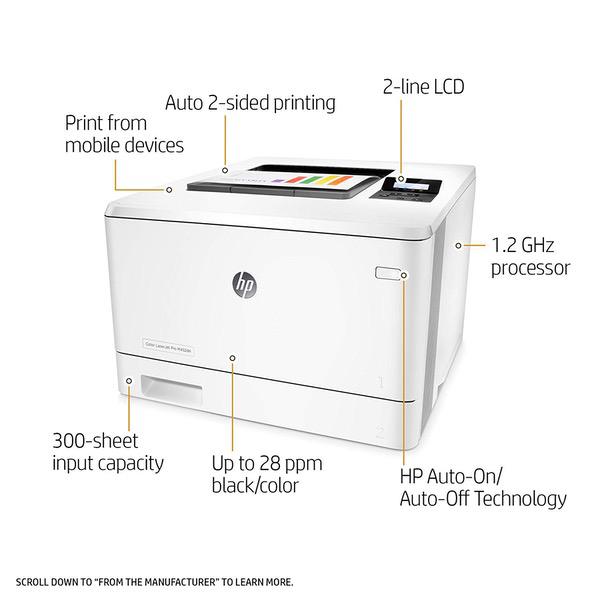
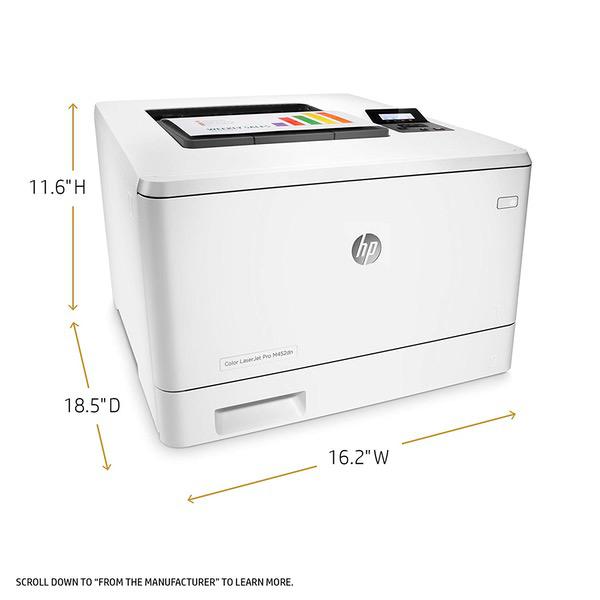
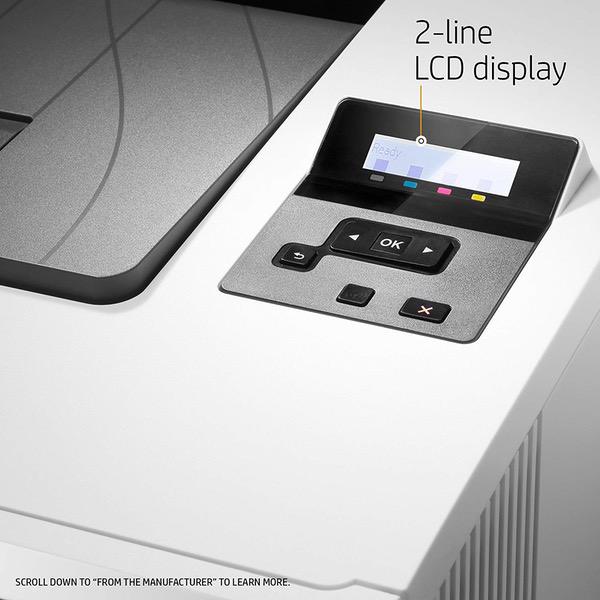
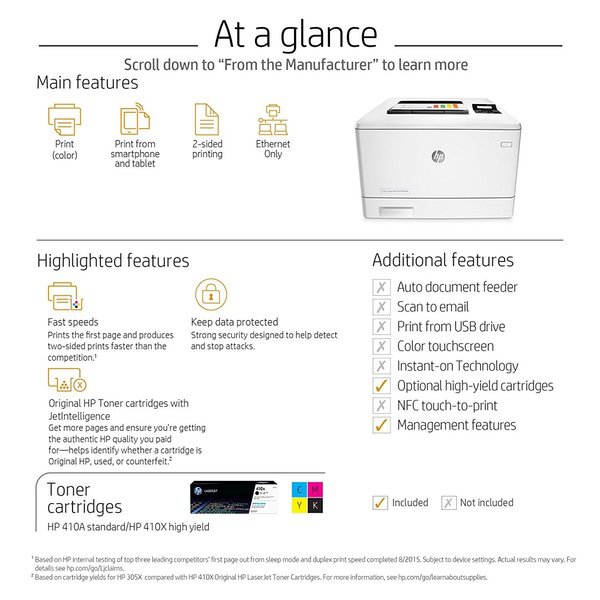
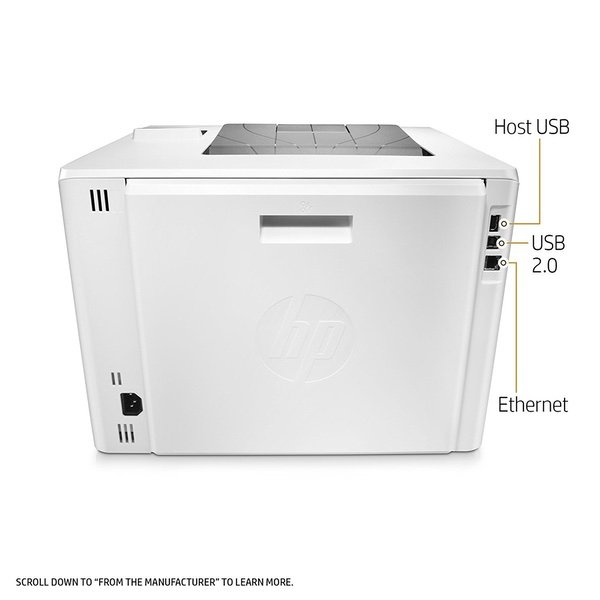
  • FEATURES DESIGNED FOR YOUR BUSINESS: color laser printer, 2-line display with keypad, duplex printing, built-in Ethernet
  • PRINT AT BUSINESS SPEED: Print up to 28 pages per minute with this wireless laser printer. First page out in as fast as 8.9 seconds for black, and 9.5 seconds for color.
  • SOLID SECURITY: Keep printing safe from boot up to shutdown with security features that guard against complex threats.
  • HP JETINTELLIGENCE VALUE: Choose Original HP Toner cartridges with JetIntelligence - engineered to help your HP LaserJet printer print up to 40% faster and 33% more prints.
  • IDEAL FOR SMALL BUSINESSES: 300-sheet paper input capacity, up to 4,000-page monthly volume, and up to 10 users for your workgroup.
  • Paper sizes supported: Letter, legal, executive, Oficio (8.5 x 13 in), 3x5 in, 4x6 in, 5x8 in, envelopes (No 10, Monarch)
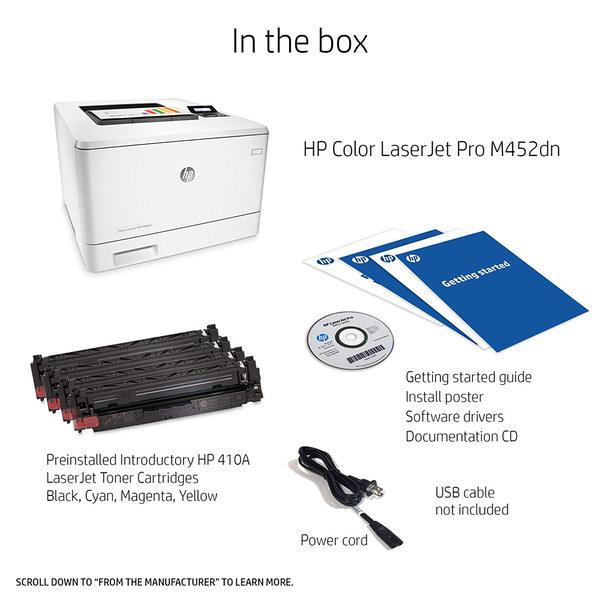
  • Choose HP Original cartridges: Use Original HP 410A & HP 410X Toner cartridges specially designed to work with your printer and avoid frustrating reprints, wasted supplies, and delays.
  • Warranty information: One-year warranty, return to HP Authorized Service Provider
Reviews
3.7
التقييمات: 20
5 نجمة
45%
4 نجمة
20%
3 نجمة
10%
2 نجمة
10%
1 نجوم
15%
Rod Maciver
3
My major complaint: envelopes are slightly creased and the indents from the other side show through on the address side. I imagine that is due to the heat. Reversed type slightly blurry, not crisp and clear like on a good inkjet printer. Sometimes, when I need to print something, I need to keep hitting buttons until I get the right combination to print, even though Im printing on 8.5 by 11 paper, or on envelopes. There are only four control buttons, but they are not intuitive. Sometimes, but not all the time, it keeps asking me to confirm what I am printing on. An eight page Word document sometimes requires me to press OK eight times. Sometimes in an eight page document it prints the first page a few times. It keeps asking whether or not to print stored jobs, and insert the thumb drive in the USB port. Maybe I just have a defective printer, but if they are all like this it is not very well-thought out. I dont think it is me because I have a Canon black and white laser printer (Canon imageCLASS MF227dw) that is very intuitive and easy to figure out.
IT Guy
2
Works out of the box. Windows 10 found it on the subnet and configured fine. I switched from a Brother printer and lost at least one feature. The ability to print wallet size checks does not work. It mis-feeds no matter what I try. So if you still print wallet size checks, dont get this printer. It also beeps 3 times when it comes out of sleep mode to print. The HP forum indicates this is an underrated power tap. Weird, since it does not matter where I plug it in. It still beeps when printing. This fault and the check print problem will cause me to return it if I cant get rid of these problems. Lastly, the price is great, but genuine HP toner cartridges will cost you more for the replacement set then a new printer.
Mr. Gigglesworth
5
So, the first printer that came to me was a dud. Upon the initial power up, I heard a loud rattling noise for a couple of seconds and it never printed correctly. After troubleshooting with HP support, it was quickly determined that a replacement was needed. Contacted Amazon and they sent a replacement overnight. The replacement works like a charm and prints very well. My advice to anyone purchasing this machine is, before you unpack everything, install software, take off all the stickers, etc., plug it in, power it up and print the demo page that you can access from the menu options on the printer. If it looks good, then continue setting it up. :-)
Kemo Sabe
5
I had grave misgivings about purchasing this printer. My old HP 2650dn died and had to be replaced (leaving me with a few hundred dollars of toner cartridges I cant now use). The reviews of most HP printers, including this one, had a large percentage of one star reviews. So I bought myself one of the protection plans offered. Ive had the printer for a couple of months and so far it has performed like a champ (watch it give me problems now that Ive said that). I am amazed at the speed at which it turns out 2-sided pages - really fast. And so far with no jams or other problems. The toner cartridges are, as are all HP toner cartridges obscenely over-priced. But I learned my lesson on my previous printer and refuse to buy any cartridge but a genuine HP cartridge. Fingers crossed - its great.
W. Littlejohn
5
What a printer and what a deal!!! $117 for a duplex capable color laser printer that produces great quality prints, easily accepts high quality compatible cartridges and prints like butta. First this printer was from Amazon Warehouse described as acceptable due to some issues with accessories. I held my breath and pulled the trigger and boy am I glad I did. No issues at all and starter toners as well. Most reviews are from people who are pissed off at some issue / problem so I wanted to balance those out. Im sure some Amazon Warehouse products are problematic (Ive bought some myself) but there are some great deals to be had and this was one. The print quality on the 452 is simply great (I cant see the black type issue described in some reviews). And while the 452 dn is not a pure wireless printer I used a ethernet cable to hook it to my router and now can print to it using wireless from computers all over the house. The duplex works flawlessly and no jams at all so far (using Hammerhill 28 lb paper for color printers....absolutely no bleed printing maps on both sides of the paper) Overall I was able to buy the printer, a full set of high quality compatible laser cartridges and 5 reams of color paper for the price of a new printer. Couldnt be more pleased. I almost pulled the trigger on the 553 dn and really glad I did not (much harder to find compatible cartridges)
Sam
1
Purchased M452dn color laser printer. Ran a diagnostic page and colors were severely misregistered. Running calibration routines made no difference. Contacted HP tech support. The reinstalled every computer driver and played on my computer for an hour, despite the fact that I told them the problem could be demonstrated without the printer even connected to the computer. HP suggested a return. Apparently no method of manually registering colors so I received a lemon.Took nearly an hour to find a method of contacting HP about the issue. The company has gotten so big and their web site to convoluted that everything ends in a loop--look here, suggest this, all pushing you towards the "user-to-user forums" for support. When I pay money to a company I want to speak with someone at the company, not relay on another user who may not even know what he/she it talking about. Very disappointed with the experience as a whole.
Charlene Clifford
5
I own my own business and print all of my own product labels. My only regret is not purchasing this printer 3 years ago. I have been fighting horrible printing issues with a former printer I owned for almost 2 years. FINALLY I was sick and tired of it and gave this printer a try after the company I buy my labels from said it came highly recommended. First of all, its fast. The quality is unbeatable. Printing is flawless, beautifully colored and doesnt rub off like the bad printer I had before. I cant attest yet to its longevity since Ive only had it about a month, but so far,I am incredibly pleased.
ronnie dodge
5
This is the 2nd printer we got but that was just a fluke. Manufactures defect. This printer prints fast . Its not ink but toners, which I love no mess and double sided which is awesome does not waste paper. Dont make the first mistake I did by getting the HP Laserjet Pro M452nw Wireless Color Printer this one says Manual Duplex which I thought was to mean you would have to choose it in the dialogue box each time. No biggie right? You have to actually feed each page you want to do double sided. That sucks. Other than that it was nice. Between the M452nw (wireless printing + manual duplex) and the M452dn (no wireless(does wireless thru LAN via internet) + auto duplex printing). M452dw now has everthing but more expensive. So make your chioce. Great color have printed many photos and put them in frames. Prints right on Glossy Photo Paper. Makes Cards like they are from the store. Save some money.
D. Coral
5
After reading some of the reviews I wasnt sure what to expect of the warmup time, but this printed right away for me. Im happy with the fast printing response. I like the simple LCD display better than the touchscreen display because there is less to break, and less to clean in the busy work environment. The white design is beautiful and looks even better in person. Heres a photo in the desk cubby hole.
jg
2
Printer is generally good, but annoyingly locks you into expensive HP supplies. There are settings to allow non-HP cartridges, but experience and Google searches show these dont fully work. For example I bought aftermarket toner cartridges on Amazon and they work fine individually, but trying to use all four together gives you a "Supply memory error". HP Tech Support will not explain why or even discuss it as a printer issue--they just state that third party supplies damage printers.

Showing 10 of 20 review

Product variations
Column filling
ترتيب بواسطة السعر ترتيب بواسطة الامكانية ترتيب بواسطة الكود ترتيب بواسطة Style
KD‎ 424.00
متوفر بالمخزون
+
B078WNCQ72
Style:
Printer + High Yield Black Toner
KD‎ 360.00
متوفر بالمخزون
+
B01BWMTGI6
Style:
Printer + Standard Yield Black Toner
KD‎ 688.00
متوفر بالمخزون
+
B07MLX6Y2J
Style:
Printer + Standard Yield 4 Color Toner
KD‎ 269.00 KD‎ 319.00
متوفر بالمخزون
+
B014CSKF50
Style:
Printer
KD‎ 421.60 KD‎ 1,054.00
متوفر بالمخزون
+
B07MLX6WVF
Style:
Printer + High Yield 4 Color Toner
You may be interested
  • Bestsellers
  • Recently Viewed
 
Similar products
KD‎ 669.00
Operating System Windows, Mac Printer TechnologyInkjet
KD‎ 379.00
Operating System Printer TechnologyLaser
KD‎ 474.40 KD‎ 1,186.00 -60%
Operating System Windows, Mac Printer TechnologyInkjet
KD‎ 104.00
Operating SystemWindows Printer TechnologyInkjet
Show more




