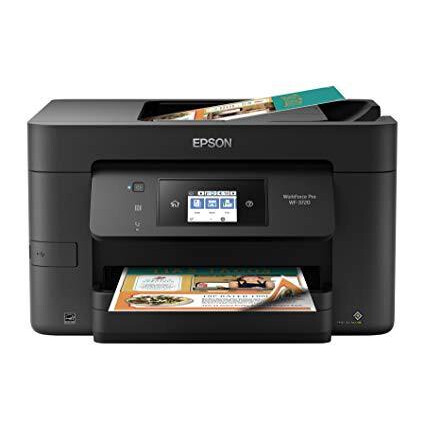
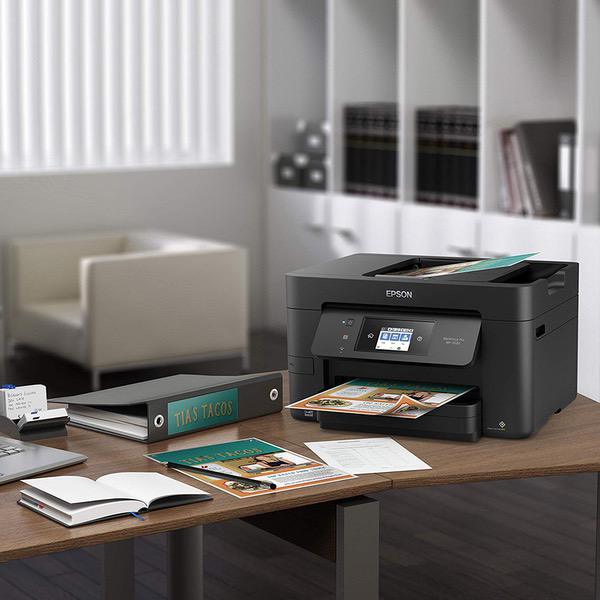
Epson Workforce Pro WF-3720 Wireless All-in-One Color Inkjet Printer, Copier, Scanner with Wi-Fi Direct, Amazon Dash Replenishment Enabled
اكتب تقييم
KD‎ 79.00

Epson Workforce Pro WF-3720 Wireless All-in-One Color Inkjet Printer, Copier, Scanner with Wi-Fi Direct, Amazon Dash Replenishment Enabled

اكتب تقييم
B01N7RZ6AR
Target is a general merchandise retailer with stores in all 50 states and the District...

المدينة: KW, New York

Delivery
Pickup at your own expense
Tomorrow from 09:00 to 20:00, Store location
Free
Payment options
Apple Pay Google Pay Mastercard Visa
Cash, bank card, credit/installment payments, cashless payment for legal entities
Warranty and returns
Exchange/return of products of proper quality within 14 days Official manufacturer's warranty: 12 months
Features
Connectivity Technology
Wi-Fi
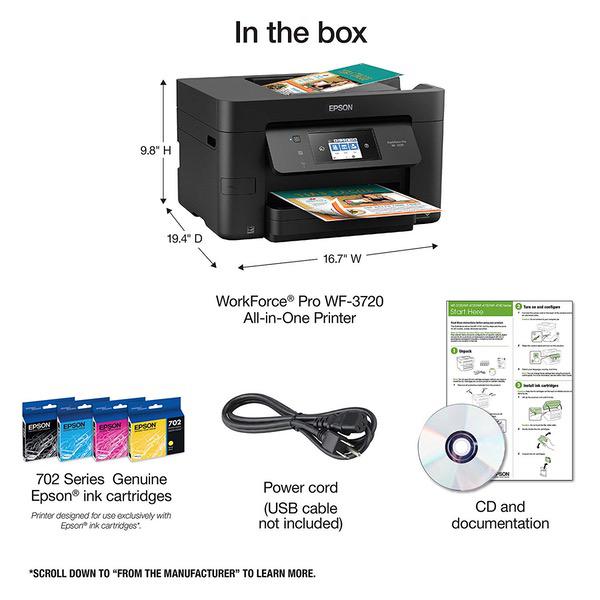
Item Dimensions
16.7 x 19.4 x 9.8 in
Item Weight
19.9 lbs
Operating System
  • Windows, Mac
Printer Output
Color
Printer Technology
Inkjet
Wireless Type
802.11bgn
Description
This fits your .
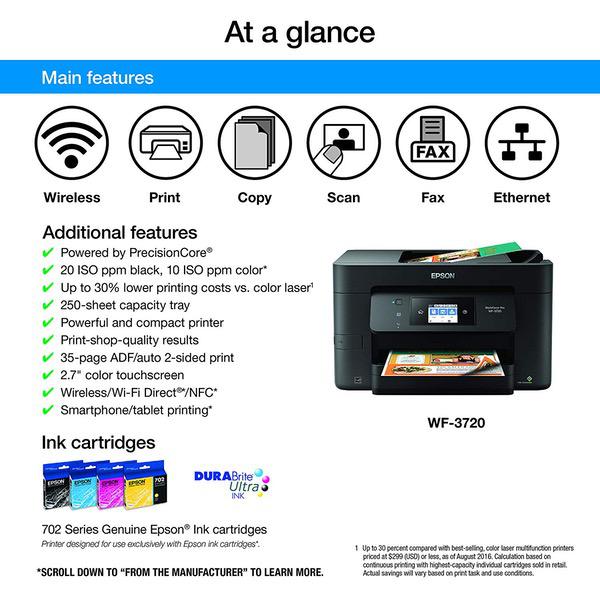
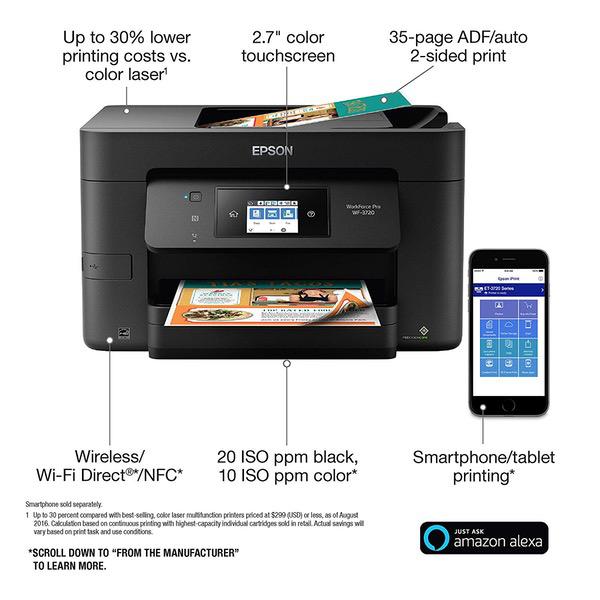
Make sure this fits by entering your model number. Get Performance Beyond Laser — the WorkForce Pro WF-3720, powered by PrecisionCore Fast black and color print speeds — 20 ISO ppm (black) and 10 ISO ppm (color) () Easy on the budget — up to 30 percent lower printing costs vs. color laser (1) Replace paper less often — large 250-sheet capacity Efficient — powerful performance packed in a compact, space-saving printer Never run out of ink again - Printer features Amazon Dash Replenishment which, after activation, keeps track of your ink usage and orders more from Amazon when you are running low
Reviews
2
التقييمات: 20
5 نجمة
15%
4 نجمة
5%
3 نجمة
5%
2 نجمة
15%
1 نجوم
60%
Robert D. Barwick
1
DONT BUY THIS PRODUCT. It eats ink cartridges like paper. My first one literally came apart after about 1,000 prints. it also ate ink cartridges. Epson replaced it. The second one has gone through one new set of cartridges in less than 250 prints. Epson has a serious engineering problem with this thing and they refuse to recognize it. They have now sent me two free cartridges. I told them that such largess did not cure the problem and that my time was worth more than dealing with them. I will buy another printer and toss this one in the garbage.
Rachel
2
It was initially okay. Its pretty bulky and seems to run out of ink very quickly, which is annoying but especially so because one full set of replacement cartridges cost almost as much as the printer itself. Its also annoying that it says that it can print only in black & white if/when any of the colored ink cartridges run out, but then it wont let you bypass the "out of ink" notification(s) for the colored ink when youre trying to go ahead an print in only b&W. Also, when its almost out of paper, it sucks in and prints on multiple sheets simultaneously, which is weird and often distorts the printed material to the point that its useless and you have to re-print it. Also one more very annoying thing: While printing via wifi worked from my cell phone, I have to unplug/replug in the printer if I want to print from my computer, because if the printer goes to sleep after its powered on (which it does after about 1 minute), sending a document to print from my laptop via wifi doesnt wake it up automatically, and even if I wake it up manually it still wont register anything sent to print from my laptop. So, each time I want to print from my laptop via wifi I have to restart it. Ive never needed to use it for the scanner/copier, but Id imagine customers who need those functions, as well as the print function, for small-scale projects can find what they need in this device. If youre a student or anyone who needs to print/copy/scan a lot of material (anything more than, ehh, a hundred-ish pages a week), this is not a printer Id recommend. UPDATE: just had to spend a ton of money on ink and there’s no guarantee it will even work when the cartridge arrives. I hate this printer with a passion. Buying this printer was an enormous mistake and the ink cartridges get SO EXPENSIVE. Seriously a nightmare. An actual nightmare.
Bobby
1
I bought this for the full feature functionality at a cheap price. Of course when you run out of ink, get your wallet out. To refill the ink in this printer, youll spend as much, if not more, just to get ink for it. Its crazy to me that it is cheaper to buy a new one than a new set of cartridges. As far as functionality, Ill give it a real review. 1. The screen is very small and the interface is very busy. Theres tons of options and settings, but presented in a way that is off-putting. It seems like you have to wander around the screens every time to find what you are looking for. 2. I bought this model because of the scanning functions. Unfortunately, the auto document feeder doesnt recognize two sided documents, so you have to babysit each and every page. This is very very tedious. The flatbed scanner is ok, but it is VERY slow, even on the lowest resolution. 3. The software that comes with this, for MAC, is very simple and doesnt really allow for much customization. Simply put, if I knew that cartridges were going to jump to 40 each, I would have just bought an HP. At least it can scan two sided and print more than 50 pages before it runs out of ink.
Juliana
2
I wanted the XP330, but it was no longer available. This was the next one in line - but it does not compare. I have owned this for about 6 months. In the beginning, it worked fine- until it got low on paper. Then, it fed the last 20 pages at once, but in such a way that every page got words printed on them. It happened to me once more, then I decided to never let the paper feed get low. Soon after, the quality of the printed words became blurry here and there. With a little more time, I started noticing lines in a table would be missing sections, and words throughout the page became italicized. I did all the troubleshooting I was supposed to do but it kept getting worse. It is completely unusable for anything that needs to look clean and professional. I understand the price is low, but Epson really dropped the ball on this one. Do not buy it.
Amazon Customer
1
After multipliable phone time with customer service i still cannot get the printer to print from balance sheet it keeps showing no ink or connections. CUSTOMER service spent 3 hours working with us, we think problem solved but same error comes up. I give up. sending it back
ashenoli
4
I like the printer very much. I was using the Epson WF 630 before but it wouldnt print on both sides. I am glad the 3720 does. Basic set up was very easy. I had some problems with setting up and using the scan function. The scanning was faster than the 630. I like the feature to shut off the noise. Since I sit in a different room than where the printer is located I kept it turned on. The absence of all the buttons on the front of the printer is also aesthetically pleasing. Overall this printer is worth the money. I am enjoying it.
Amazon Customer
1
This is a piece of junk. I rarely ever leave a review unless something blows me away or really disappoints me. I have purchases cheaper brands that did better than this printer. It would only print about 25% of the advertised amount of prints before running out of ink and after printing about 20 documents the wireless became so slow it would not print the pages before I would have to leave the house with my computer. If plugged in it still would print slow and after about 300 prints it stopped printing at a decent quality. Im super disappointed and have basically trashed over $100. I will not purchase another EPSON printer.
John H
2
$79 for ink??? I get the concept that they lose money on the printer and make it back on the ink, but this is extreme. They wont be making any money back from me at that price. I assumed I would be able to buy replacement ink from one of the refill places, but I cant find any. Maybe that is why there are a gazillion different different types of ink cartridges--to keep you from using your left-over cartridges in your next printer and to keep refillers from offering every conceivable type of refill. Oh, in case youre still interested, the printer works great until it runs out of ink. Update: I bought one black ink cartridge to hold me over until I could find a replacement printer. As soon as I changed it, the printer started skipping lines on my print jobs. No amount of cleaning cycles could resolve the problem. Disappointing.
CRICKER JR
1
After having terrible reliability and functional issues with a new HP PRO-6978 I purchased the WF-3720. I have had two previous Epson All-In-One printers that gave acceptable performance. Nether connected well using the WiFi system. After over five months of use I can objectively provide my WF-3720 review. From the outset this little jewel has provided: Error after Error messages, Stopped Printing mid-cycle, failed faxing documents without notification of difficulties, wasted paper by poor print quality, running low on ink messages when there was more volume than displayed, etc., etc I reached out to Epson for support on more than one occasion which resulted in a contracted company aggressively trying to sell me an expensive Anti-Virus Program for more than the cost of the Printer, Ink, and my Computer System. Needless to say my nearly new WF-3720 is headed for the Recycle Bin. Im going to try and sell my Ink Cartridges however because they must have Precious Metal infused in the fluid making them horribly expensive.
R T Wright
5
This printer is just perfect for my needs. I love that if I need to print from my iPhone its a cinch! The prints look awesome! It is super fast compared to the Canon I had before. The copier feature is very handy with the top feeder. Great purchase and excellent price!

Showing 10 of 20 review

Product variations
Column filling
ترتيب بواسطة السعر ترتيب بواسطة الامكانية ترتيب بواسطة الكود
KD‎ 79.00
متوفر بالمخزون
+
B01N7RZ6AR
You may be interested
  • Bestsellers
  • Recently Viewed
 
Similar products
KD‎ 669.00
Operating System Windows, Mac Printer TechnologyInkjet
KD‎ 379.00
Operating System Printer TechnologyLaser
KD‎ 474.40 KD‎ 1,186.00 -60%
Operating System Windows, Mac Printer TechnologyInkjet
KD‎ 104.00
Operating SystemWindows Printer TechnologyInkjet
Show more