
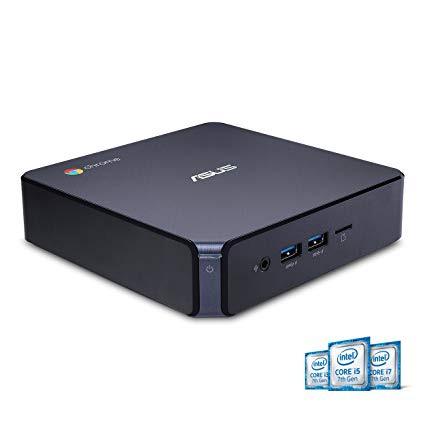
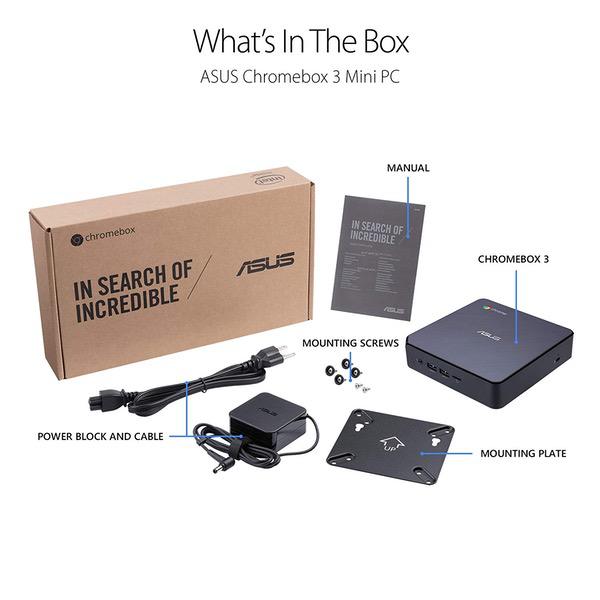
ASUS CHROMEBOX 3-N017U Mini PC with Intel Celeron, 4K UHD Graphics and Power Over Type C Port, Star Gray
Write a review
KD269.00

ASUS CHROMEBOX 3-N017U Mini PC with Intel Celeron, 4K UHD Graphics and Power Over Type C Port, Star Gray

Write a review
B07CLQZHF9
N017U
+
Add to wish list
Hard DriveFlash Memory Solid State Processor BrandIntel Processor1.8 GHz Celeron 3215U
Target is a general merchandise retailer with stores in all 50 states and the District...

City: KW, New York

Delivery
Pickup at your own expense
Tomorrow from 09:00 to 20:00, Store location
Free
Payment options
Apple Pay Google Pay Mastercard Visa
Cash, bank card, credit/installment payments, cashless payment for legal entities
Warranty and returns
Exchange/return of products of proper quality within 14 days Official manufacturer's warranty: 12 months
Features
Graphics Coprocessor
Intel HD Graphics 610
Item Dimensions
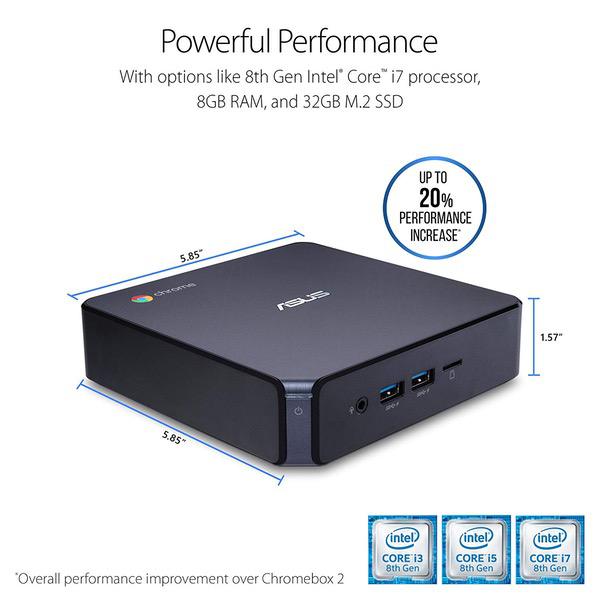
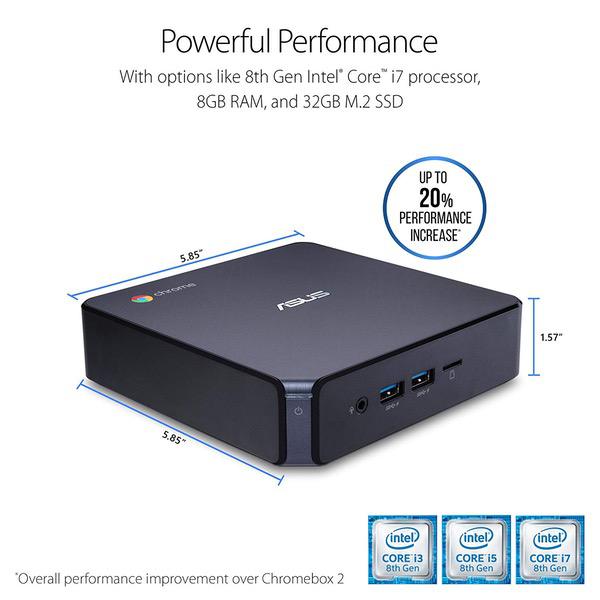
5.85 x 1.58 x 5.85 inches
Item model number
CHROMEBOX 3-N017U
Item Weight
2.2 pounds
Operating System
  • Chrome
Series
Chromebox
Style
N017U
Hard Drive
Flash Memory Solid State
Brand Name
ASUS
RAM
4 GB DDR4
Processor
Processor Brand
Intel
Processor
1.8 GHz Celeron 3215U
Processor Count
2
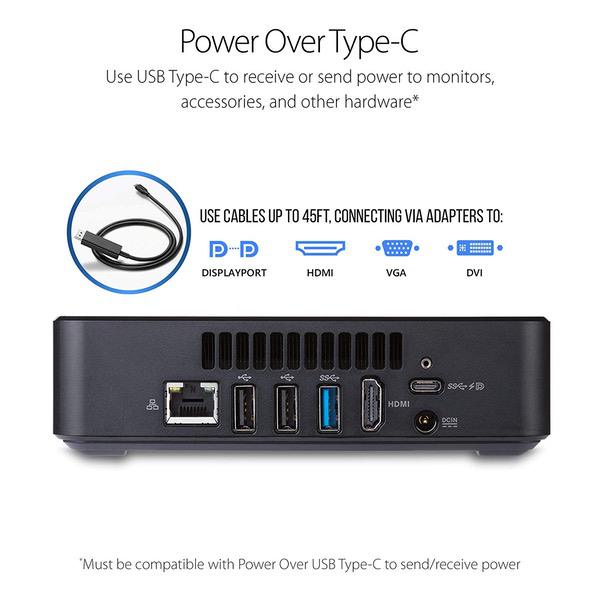
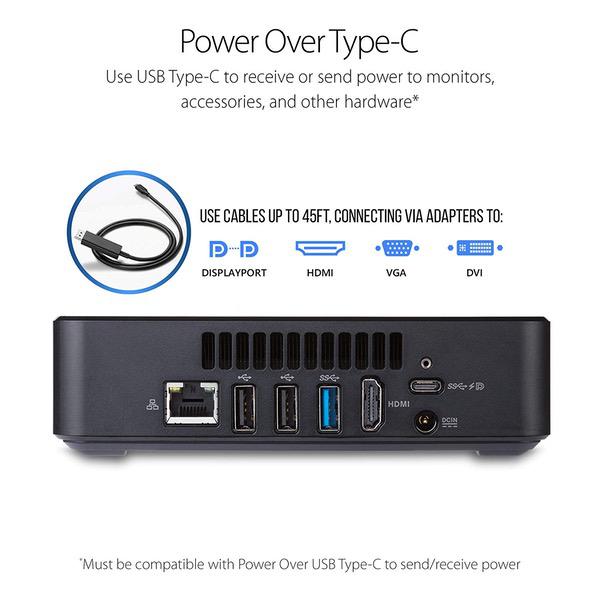
USB
USB 2.0 Ports
2
USB 3.0 Ports
3
Description
This fits your .
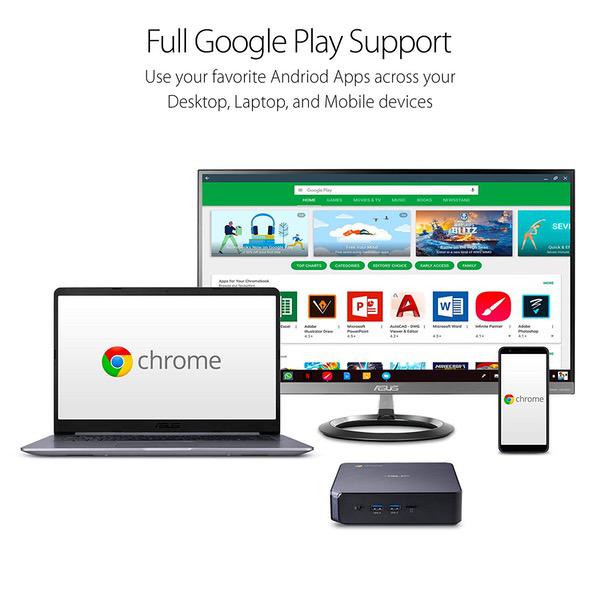
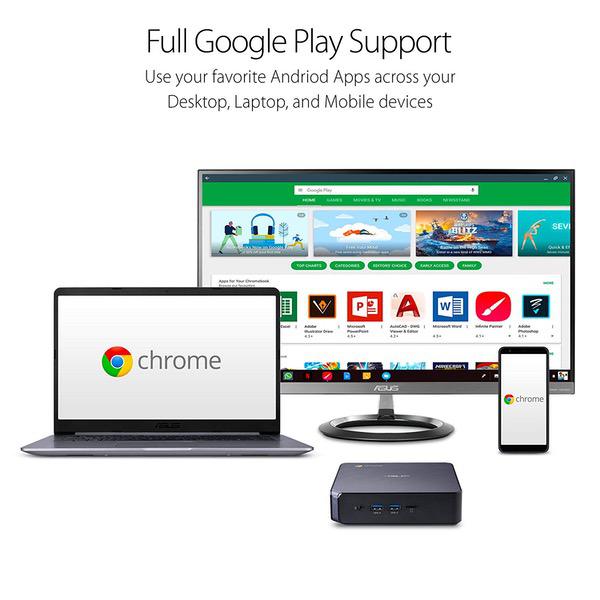
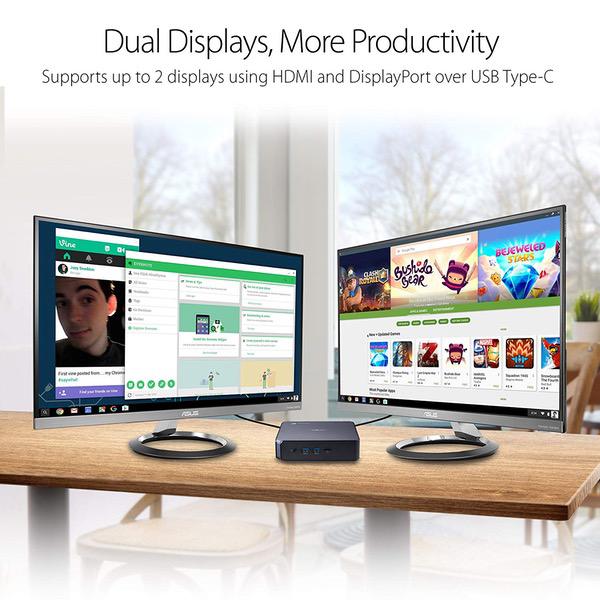
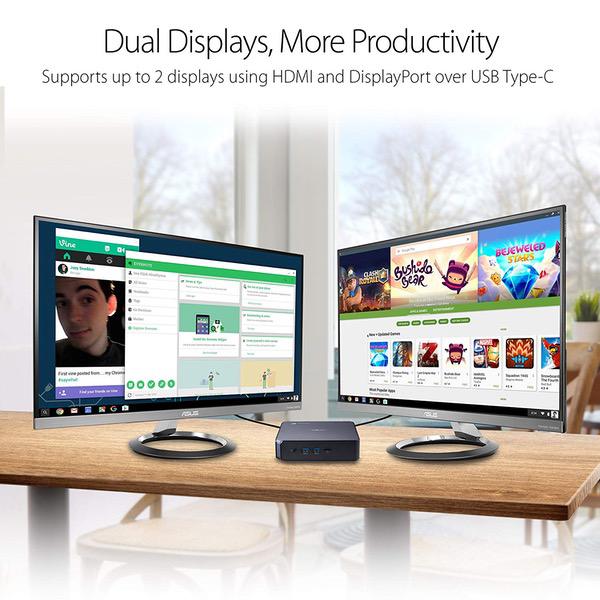
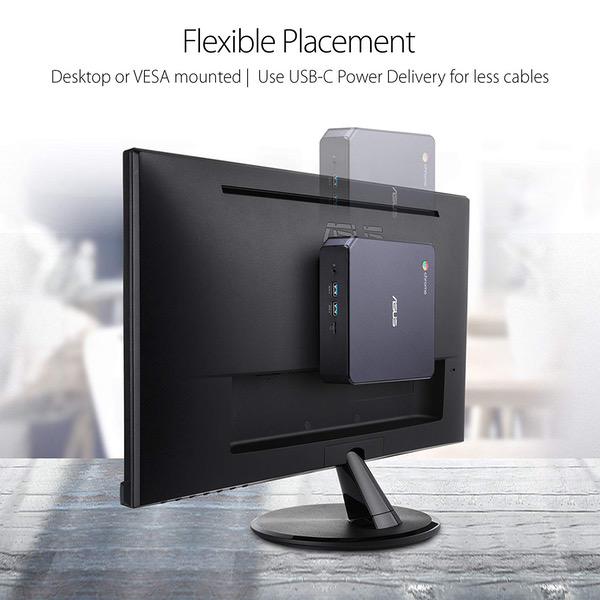
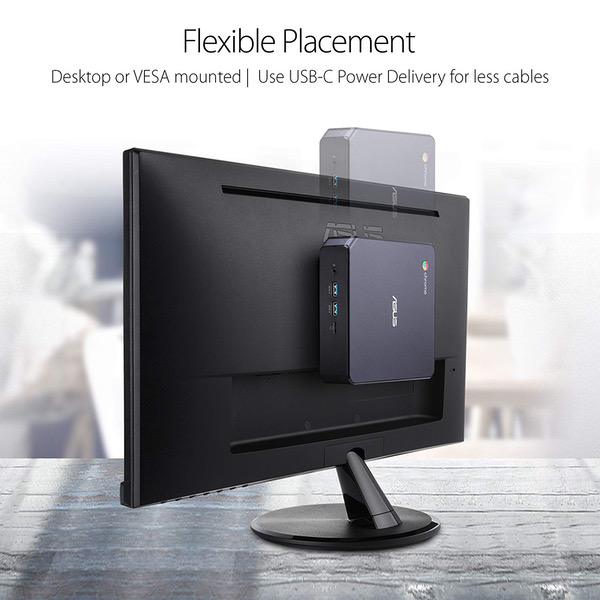
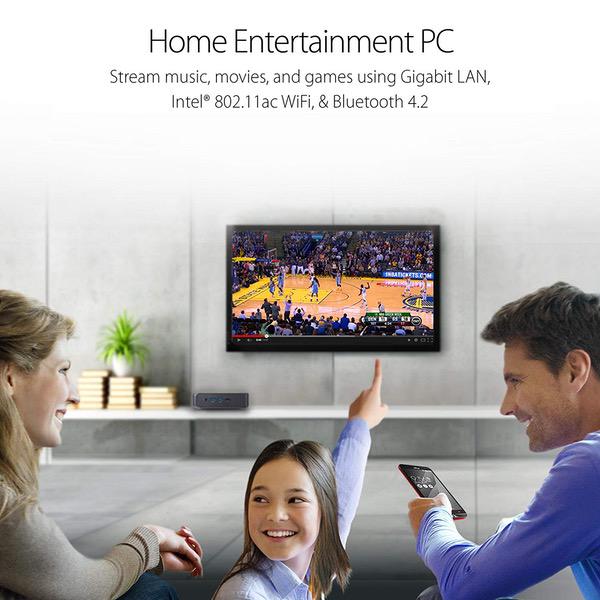
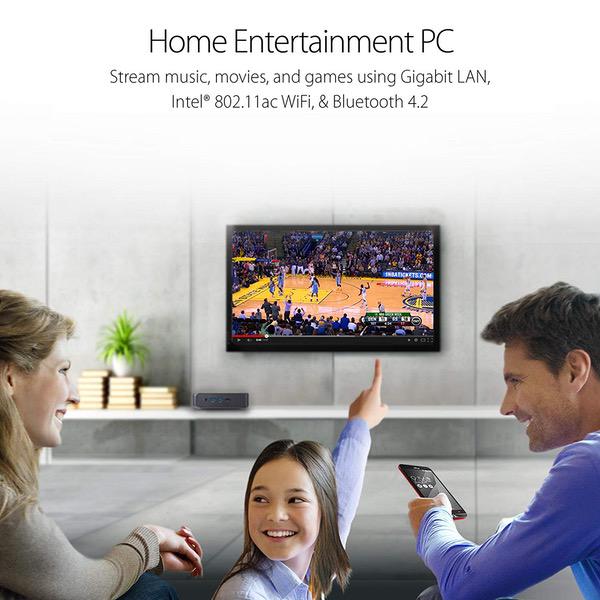
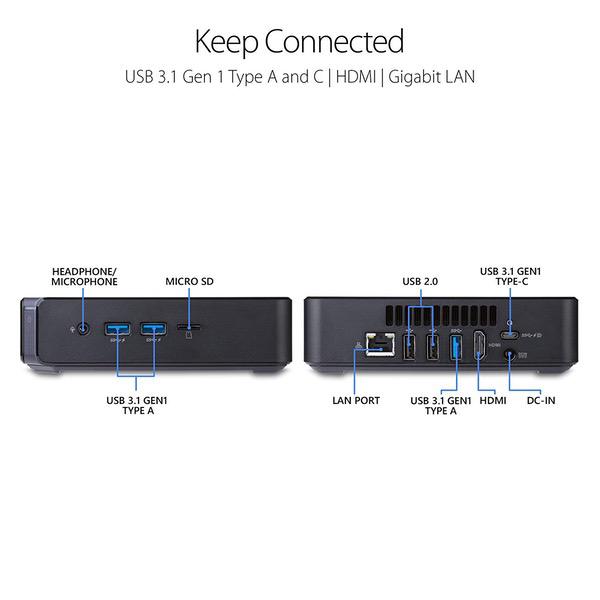
Make sure this fits by entering your model number. CHROMEBOX 3-N017U Features an Intel Celeron 3865U Processor with 4GB DDR4 Memory, Gigabit LAN, 802.11ac Wi-Fi and 32GB M.2 SATA SSD Full support of Android apps from Google play on Chrome OS Integrated Intel 4K UHD Graphics supports 2x monitors using HDMI and DisplayPort over Type C for compatibility with legacy Display connections like VGA and DVI Share files or stream your favorite media with Intel 802.11ac Wi-Fi, Bluetooth 4.2, and USB 3.1 Gen 1 Type a & Type C Ports Power over Type C minimizes cable clutter and delivers power to monitors, projectors, and mobile devices
Reviews
4.3
Reviews: 20
5 stars
65%
4 stars
20%
3 stars
0%
2 stars
5%
1 star
10%
Scott Condor
4
I got the one with i3 and 8GB RAM at about $475 or so. I really wanted an i5, but those are not available yet, at least on Amazon. Wouldnt have made much difference, Id think, and Im certainly glad I didnt shell out $700+ for an i7 model. Its not that theres anything wrong with the little box itself, and it fires up quick as a bunny, streams like a luxury liner, but there are really no apps I have found yet that have impressed me... especially the media apps for playing and managing videos... its all like Ive been kicked back 10 years technologically.... with the VLC and GOM players unable to do some of the simplest stuff I could do before. I mean if youre going to design something just for online media, why not help your apps designers adapt? BUT---- There are many things I do like. The small size and fewer required cables really help, even from the standpoint that I can just lean over and pull or push in a plug or a different cable... instead of climbing under the desk and pulling out a tower and having to get enough light down there to see where to put something... ah well. I like that its very easy to fire up, and it updates (if needed) instantly when turned on...thats cool. One odd thing though, I use Googles "YouTube TV" and have constant lip sync troubles. Maybe I am missing something, but I have my Asus M32 i5 sitting right next to me here and it does not have those troubles... Google? Whats the deal? Both of my machines are made by Asus and are using straight Google s/w... streaming from a Google source... so??? Chromebox is totally silent, runs cool as a cucumber... blows a little heat out the vents when Im streaming 4K, but not bad at all. Everything has been easy to set up and an easy learning curve... it just doesnt do all I want YET... Well get better apps when the designers realize theres a difference between android phones and chromebox/chromebooks... and maybe well start getting some real games one day too... that would be nice. But for now, I will continue to use my TWO systems side by side and wear out the carpet rolling my chair back and forth. Periphery: Logitech comfort wave wireless keyboard, wireless Logitech mouse, Samsung 28" UHD monitor, Panasonic high power audio system... plus a tiny 1TB external hard drive from Toshiba that I want to put my home 4K videos on, but havent done much with that yet. Edit: My ISP is now 50 Mb/s and my router is a verrrrry nice Arlo Satellite that blasts usable wifi 70 yards in all directions... the audio sync problem has been narrowed down to my expensive Sennheiser bluetooth headset which I use constantly... that headset works on my phone and my PC perfectly. My only workaround for the sync is to not use the headphones on the chromebox. I might try a different headset but I certainly should not have to do that. And... I wont mention that I still cant get the unit to print to my HP wifi printer even though it says its connected... because the other guy struggling with that was called an idiot. And I forgot to mention I have to click links many times to get a response other than a box popping up to tell me what the link name is... huh? I bought two new mice to fix the problem but they have the same result... sometimes they work with one click, but it has to be carefully centered on the box or icon or photo. 3.5 stars and decreasing.
Brian Thompson
4
Bought this chromebox along with Asus VE278Q monitor for Mom. Setup was 10 minutes. Connected immediately to the internet via wifi. Logged into her account and all her settings from previous chromebook were intact. ChromeOS has come along way. This item is really great for older crowd that just needs to access the internet. After cleaning her Windows based PC one too many times in the past, I have not had an infiltration since switching to ChromeOS. Now if we can get faster processors/memory/disk space without the extremely high prices.
A. Seaman
1
About 40% of the time there is loud static or crackling especially if I have 2 or more tabs open in chrome browser (only 1 tab playing audio). Closing and re-opening chrome browser fixes it but soon the static returns. Brand new chromebox with new gold plated HDMI cable. Tried different HDMI ports on TV and different HDMI cables. Edit: returned defective unit, replacement seems much better. Second edit after 2 months: audio stopped working. Must reboot each time and can have only 1 or 2 tabs open before audio stops working again. They need to fix the audio problems with this box. Unable to return now, past the 30 day return window.
Al
5
Ive had this for a few days now and I am pleased with this little thing. Its sits on my desk in a low profile. I am using it for school. casual browsing, and plain ol curiosity about the Chrome OS. I like that the CHrome OS is not as bogged down as Windows. I am not a total convert though because I am a PC gamer. For school though, it works just fine. I have an external hard drive where I save my files. Other than that, everything is stored online via Google Drive. They even give 100GBs free for 2 years. So I am going to use it and see how it goes. I am not a big fan of google docs, so I do wish that there was support for office. You can use the 365 version via download from the app store, but you dont get the full functionality. I have made it work for me though. If I need to do anything major with word or excel, Ill just use my laptop or my gaming rig. Outside of that though, I have no problems. Will update after a few months.
Amazon Customer
5
Just like my last Chromebox except more powerful. My office has Windows machines which are currently out of service due to software problems, but our 2 chromeboxes are absolutely reliable - and for someone who does business online - that is what I need. Not pretty just effective!
Starman
5
I have been using Windows since 1994. Over the years Ive noticed Ive been using Google products more than anything so when it came time to replace my computer I bought this Chromebox. I could not be more pleased with this computer. Ill never go back to Windows. In the picture my Chromebox is under my clock on my desk.
Amazon Customer
5
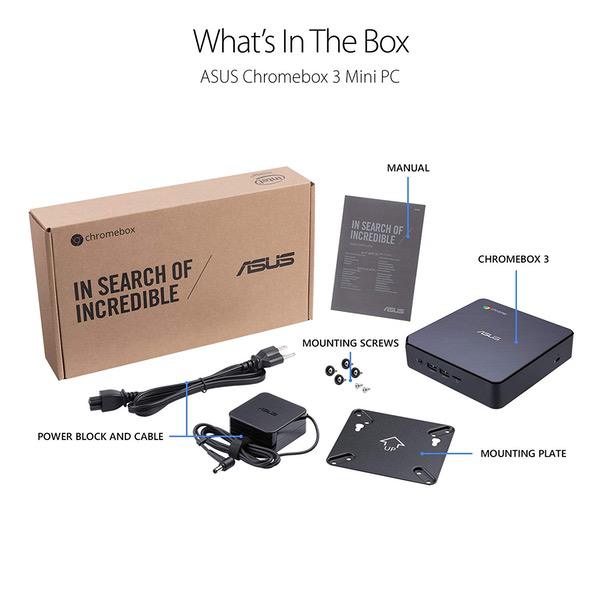
A bit of background. I have been using chromebook for a few years and love chrome os. I need a desktop to have a bigger screen and sit properly. connect chromebook to external monitor in and out .. docking, heat issue, turn out not a good solution. Have been waiting for the latest refresh of chromebox and very glad to have this asus chrombox 3. I choose the basic model which is enough. Everthing is running very smooth including android app. Some android app still not play nice in chrome os. Since i like to open many tabs I added to 8g ram. The performance is very good. open many tabs, run android app and able to stream video smooth via my NAS. And can play 2k youtube smoothly. My samsung chromebook pro has some difficulties to play more than 1080p youtube. One of the reason I bought this is because of the included VESA mount which i could mount to the back of the monitor. Very nice. Happy with this purchase.
Joshua Foster
2
Ive actually purchased two of these, model N019U, so the issues I have seen may not apply to other versions. The first one just locked up with a white noise screen after two days. The second did it after about 5 minutes. I suspect the devices didnt like my 2 year old Samsung TV. I returned one, and kept the other hooked up to an older Samsung, and after four days, it still has not locked up. I set the same screen resolution on both units so I suspect it has something to do with power on the HDMI cable, but who knows. I kept the unit, even though it has screen problems, and I really like the feature the unit has of using working with most apps from the android app store. I can use my favorite crossword puzzle app, the Pandora app, or the google music app. Too bad the amazon music app doesnt work. The other thing I like about the N019U is that it is very fast. Ive been using a four year old Chromebox, and sometimes it works well, and sometimes it just slows down. The N019U has been speed limited only by the websites Ive gone to. My guess is that there are just bugs that either ASUS or google still need to work out. Once they have them figured out, this should be a fine machine. Im adding on to this review that I also tried purchasing an HP Chromebox, and it also had trouble with my 4K TV. Ive found that if I set the screen resolution low enough, then I dont get the lockups. I have also found that I can cut down on the lockup frequency by connecting the USB-C to my TV through an adapter, rather than directly through the HDMI port on the box.
Carls
5
No its not a Mac and its not for games. But for a work machine to crank out docs, spreadsheets, and never (EVER!) lose a partially complete doc, this is the ticket. Its standard Intel graphics, so dont go crazy on a monitor. And get the best keyboard, because its going to get a workout. Why 5* ? Simply because theres no (none) time lost with this thing : no start-up time; no updates and lost time waiting; no installations that say "Hi!" or "working on it" and - goodbye extra cups of coffee. Oh, and no backup time - its automatic! Printers have to be "cloud ready and my pref is the less expensive HP, but that off subject. This is how computers ought to be have been for years now.
acampolo
4
I love this device, and I am a huge fan of the chromebox. Sadly, there is no sound coming out of the HDMI port. I tried powerwashing, resetting, and installing all upgrades. The BT works, the mics port works, but no sound out of the HDMI port. ASUS support suggests replacing it. Ill update the review if the issue is resolved with the new unit. Update. Replaced the device and it works as it should.

Showing 10 of 20 reviews

Product variations
Column filling
Sort by Price Sort by Availability Sort by CODE Sort by Style Sort by RAM Sort by Processor
KD269.00
In stock
+
B07CLQZHF9
Style:
N017U
RAM:
4 GB DDR4
Processor:
1.8 GHz Celeron 3215U
KD449.00 KD499.00
In stock
+
B07CN889PL
Style:
N019U
RAM:
8 GB DDR4
Processor:
2.4 GHz Intel Core i3
KD761.00
In stock
+
B07CLMLX8T
Style:
N020U
RAM:
8 GB DDR4
Processor:
2.4 GHz Core i7-5557U
You may be interested
  • Bestsellers
  • Recently Viewed
 
Similar products
Show more




