
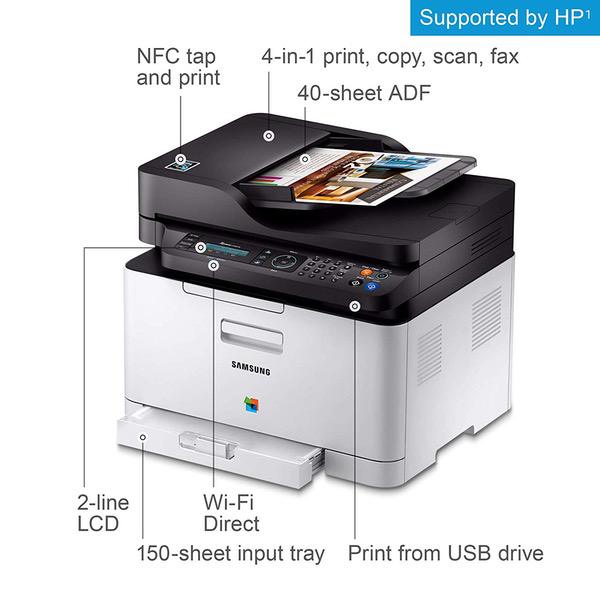
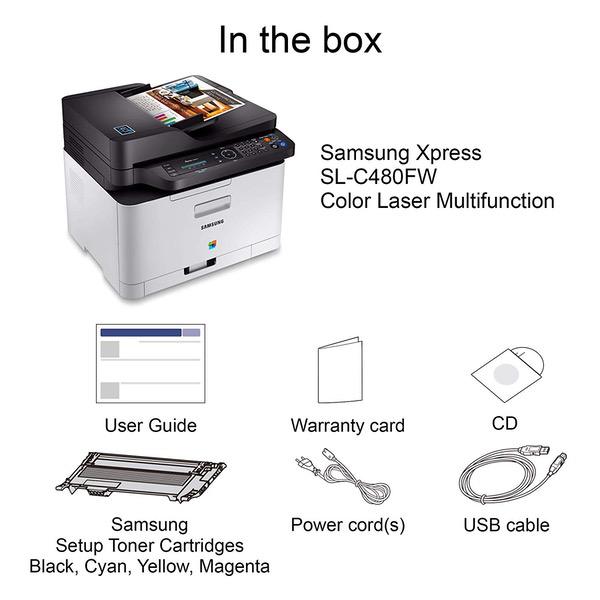
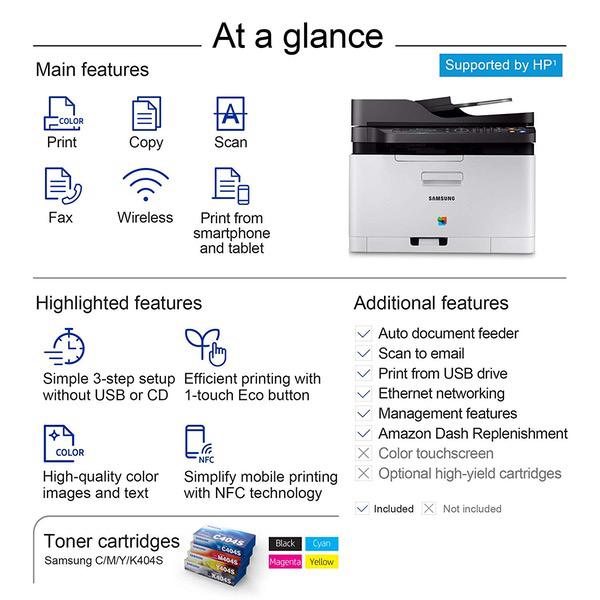
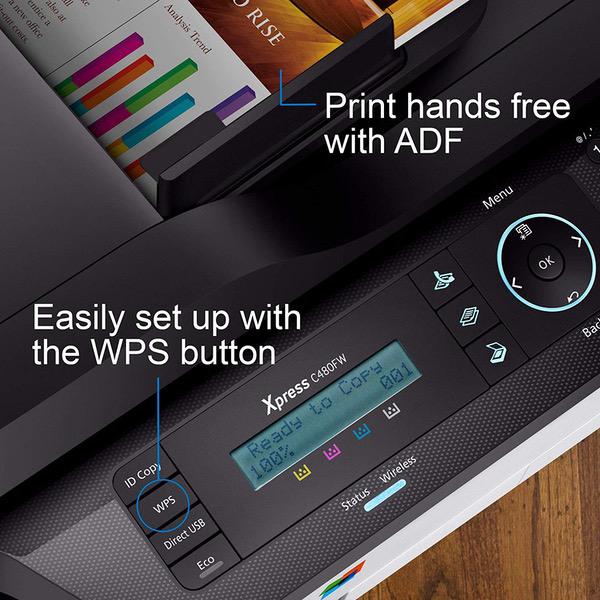

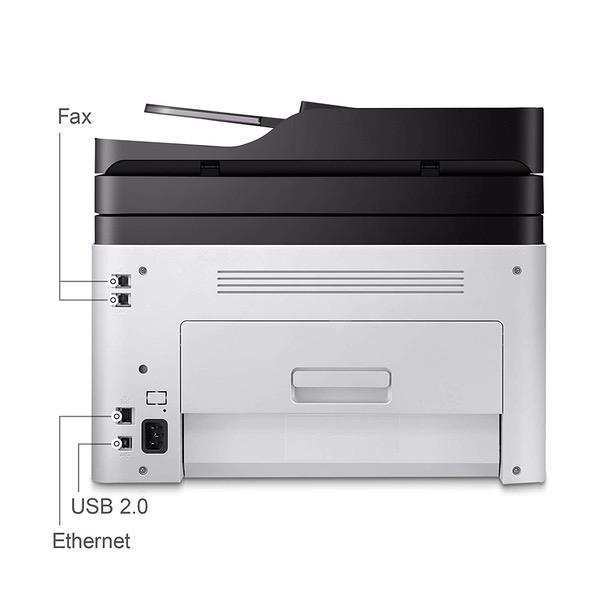
Samsung SS256H#BGJ Electronics Xpress SL-C480FW/XAA Wireless Color Printer with Scanner, Copier & Fax, Amazon Dash Replenishment Enabled
Write a review
KD149.00

Samsung SS256H#BGJ Electronics Xpress SL-C480FW/XAA Wireless Color Printer with Scanner, Copier & Fax, Amazon Dash Replenishment Enabled

Write a review
B0196HHD7U
+
Add to wish list
Target is a general merchandise retailer with stores in all 50 states and the District...

City: KW, New York

Delivery
Pickup at your own expense
Tomorrow from 09:00 to 20:00, Store location
Free
Payment options
Apple Pay Google Pay Mastercard Visa
Cash, bank card, credit/installment payments, cashless payment for legal entities
Warranty and returns
Exchange/return of products of proper quality within 14 days Official manufacturer's warranty: 12 months
Features
Connectivity Technology
USB
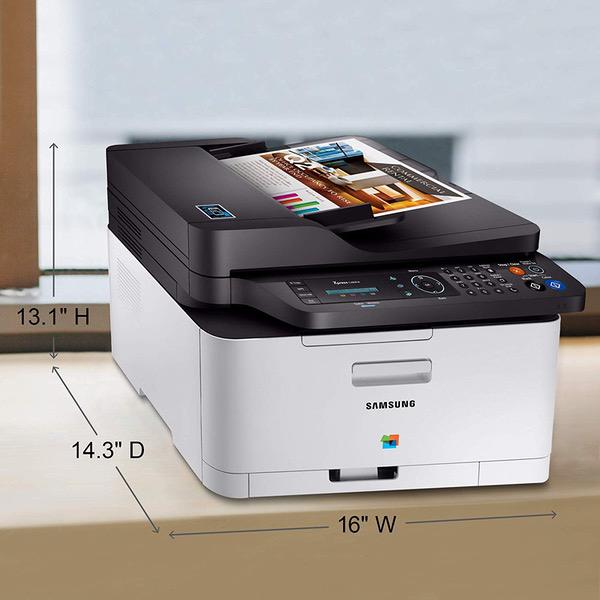
Item Dimensions
14.3 x 13.1 x 16 in
Item Weight
24.98 lbs
Operating System
  • Windows
Printer Output
Color
Printer Technology
Laser
Description
This fits your .
Make sure this fits by entering your model number. ONE-YEAR LIMITED HARDWARE WARRANTY – Samsung printer, now supported by HP(1), provides 24-hour, 7 days a week Web support. Saves up to 20 percent on operating costs with one-touch Eco button Produces smooth images and clean text with ReCP technology and smart color management system (cms) Prints faster with advanced 800 MHz cpu
Reviews
3
Reviews: 20
5 stars
15%
4 stars
30%
3 stars
15%
2 stars
15%
1 star
25%
Jewels
1
manual is non existent, come ons are teased by malware sites. Support is by registration only, HP took over samsung support so if you get an Engrish speaking person you got lucky. Support of any quality is on a case by case fee based instances. I will never get another Samsung, they suck worse than Sony.
Sally
1
Yes, it prints beautifully; however, I make custom greeting cards and it will (a) not take cardstock, (b) will not print a card envelope, (c) will not print a halfcard envelope, and will not print on a 4x6 index card, or anything smaller than 8 1/2 inches in length. So this printer is essentially worthless to me. Samsung has been no help and their 397 page manual does not explain a thing. They list cardstock as one of the print media that you can use. If you dont use any of these print media, then youre good to go. If there was a manual feeding tray, that might work. They make reference to one but dont say where it is. I am beyond disappointed!
M. Fischer
1
Bought this is 2016. It was a nightmare to get the wifi working and it would , from time to time, loose its connection. Soon I was unable to get any help from Samsung....when HP took over. Paper jam after paper jam and I was not using it that much because the print quality was so low (even if I changed the settings). The last staw...a few days ago....the MOTHER of all PAPER JAMS. It was impossible to clear. I even took it (partially) apart and could not clear it. Three pages were wrapped around the roller. Could not get hold of it and I finally gave up and its off to the dump! Save your money. There was NOTHING about this printer that was great.....or even a little good.
M
5
LOVE this printer .. went from a ink-jet printer to this one. I dont print a lot but as a mom I print enough that I wanted quality prints and was tired of buying expensive ink all the time that cost as much if not more than the printer. The prints come out clean and crisp, the scanned book cover came out just as good and the print of a cell phone photo came out ok. I wouldnt use it to print photos unless it was a last minute thing but it was decent.
J. Bak
4
This is the first laser printer Ive ever owned. I bought one that was obviously returned with no use. I think I know why. I could not get it set up to print wirelessly. Heres a tip for anyone tempted to return it because of this problem. Sometimes you have to connect via USB to then set up wirelessly. This is one of those printers. Once I did that, it works fine. So I saved $100 buying "used" While it is strange that the printer isnt set up better, dont give up until youve tried all options to connect.
Handyfan
4
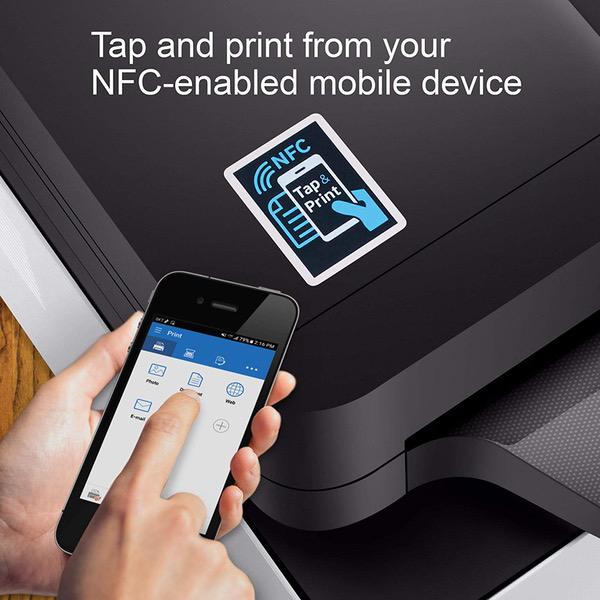
Really like this printer. Have been using it for the past 3-4 months and have no major issues at all. As a matter of fact, I just bought another one. The print quality is great, the scanner is great, the PC software is good, and wireless the network set-up was an unexpected "breeze" - no problems at all. So why the 4-stars? My last printer could do true duplex scanning & printing through the document feeder, this one cant. End of story. I knew this when I bought it, and since I just bought a second one, it is obviously FAR outweighed by everything else that it does well. Just so you know; I have NOT tried to do any printing from a mobile device, so I cant comment on that yet.
Amazon Customer
1
Worked well for about 6 months, then started having problems. One thing that is annoying is that if you try to print a color page when the printer is out of one of the colors, the printer becomes unusable (even for black & white only) for several hours. Eventually, after many hours or even days, the b&w page you wanted to print will come out. B&w will print again "fine" until you accidentally try to print another color page. I put "fine" in quotes because starting at around 6 months, a smudge s started appearing on every printed page. Sometimes lighter, sometimes darker, but always there and Samsung unable to tell how to remove the smudge. Already ditching it and buying a different brand.
Brett Ferlin
3
Not the best printer Ive owned, but the most efficient if youre only going to be printing on plain paper and dont plan on doing anything extravagant. The print quality is poor even when force set on high resolution (definitely not on par with standard laser printers) and the paper handling is poorer than even similarly priced Brother printers, since it cant handle any special or thick paper - but it does come with a decent plain paper feeder/scanner so if youre looking for a cheap thing to scan, copy and print or just have general office use you could do worse. That said, I would NOT expect this to hold up to home office use - Id say Ill probably get 2000-3000 prints out of it, probably not even enough to replace the toner two or three times. Not great, not bad. Just okay. Wouldnt buy again.
Smart Shopper
3
When I get it to work, its great, but its always a little iffy as to whether or not I can find the options for manual duplexing, and if when those options are selected, the duplexing will work. I did not read that is was manual duplexing before the purchase was made, and if I were to do it again, I would buy a different product. Also, the paper tray is very small (something I notice with a lot of printers these days) which can make it difficult to quickly/easily process large jobs. The quality of the print is nice, though, despite these small annoyances.
flyzapper
2
I was excited to find a multifunction color laser printer for this price (on sale for $185), but my excitement turned to frustration pretty quickly. The print resolution is very poor, even when I manually change the settings to high resolution. All pictures and graphics almost look pixelated with this printer. Its good at printing black and white text, but little else. The scan functions are fine, but connectivity is horrible. About half the time that the printer goes to sleep and wakes up, it is unable to connect to my wifi network, and I need to enter the settings all over again. Scan to USB and email functions do not work. Theoretically, you can stick a USB stick in the printer and scan directly to it, or enter an email address and email the scan directly, but all of my USB sticks are a "not recognized device", and I get an error without any details every time I try to scan to email. Dont waste your money or time trying to get this printer to work.

Showing 10 of 20 reviews

Product variations
Column filling
Sort by Price Sort by Availability Sort by CODE
KD149.00
Available
+
B0196HHD7U
You may be interested
  • Bestsellers
  • Recently Viewed
 
Similar products
KD669.00
Operating System Windows, Mac Printer TechnologyInkjet
KD379.00
Operating System Printer TechnologyLaser
KD474.40 KD1,186.00 -60%
Operating System Windows, Mac Printer TechnologyInkjet
KD104.00
Operating SystemWindows Printer TechnologyInkjet
Show more




