
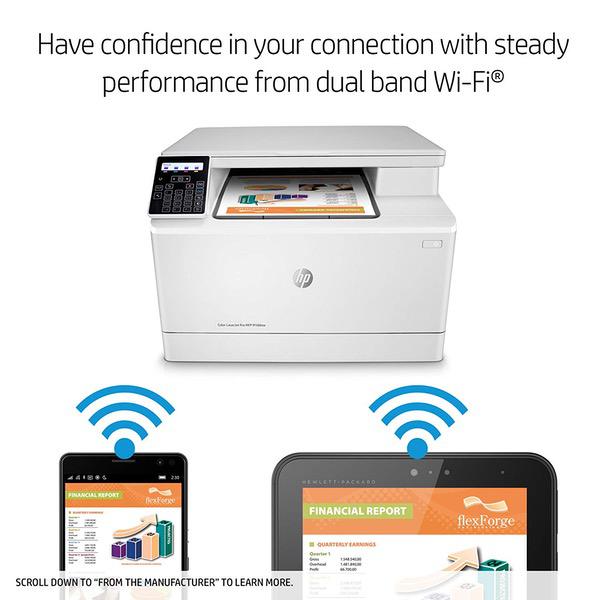
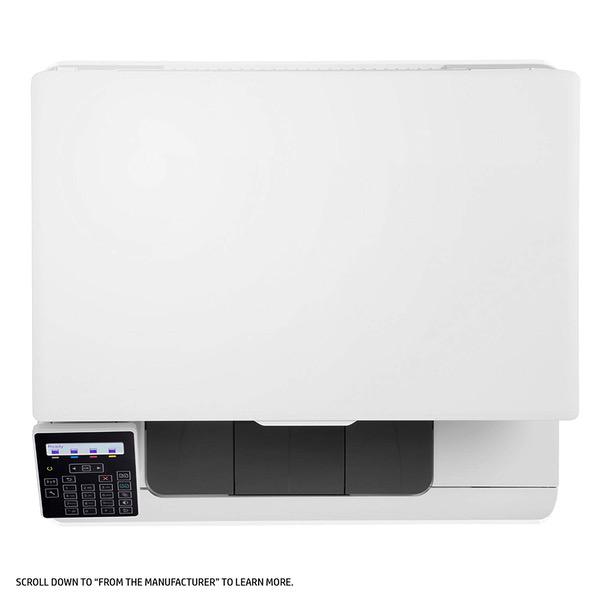
HP Color Laserjet Pro M180nw All in One Wireless Color Laser Printer with Mobile Printing & Built-in Ethernet (T6B74A)

Write a review
B073RFXMWP
Printer
Target is a general merchandise retailer with stores in all 50 states and the District...

City: KW, New York

Warranty and returns
Exchange/return of products of proper quality within 14 days Official manufacturer's warranty: 12 months
Payment options
Apple Pay Google Pay Mastercard Visa
Cash, bank card, credit/installment payments, cashless payment for legal entities
Delivery
Pickup at your own expense
Tomorrow from 09:00 to 20:00, Store location
Free
Features
Style
Printer
Description
This fits your .
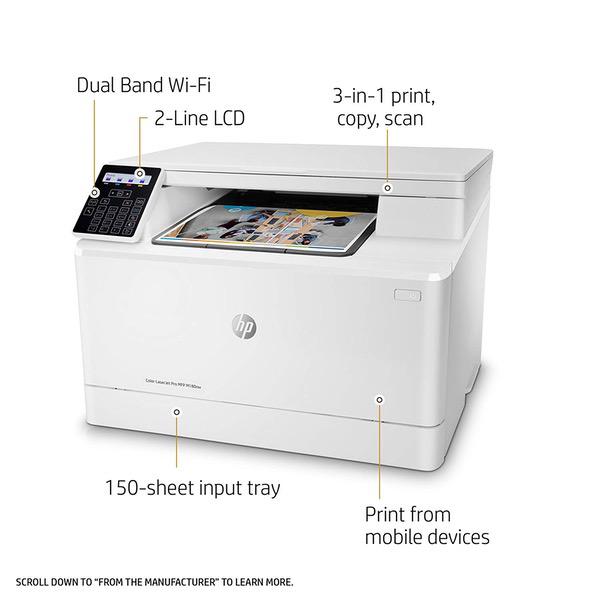
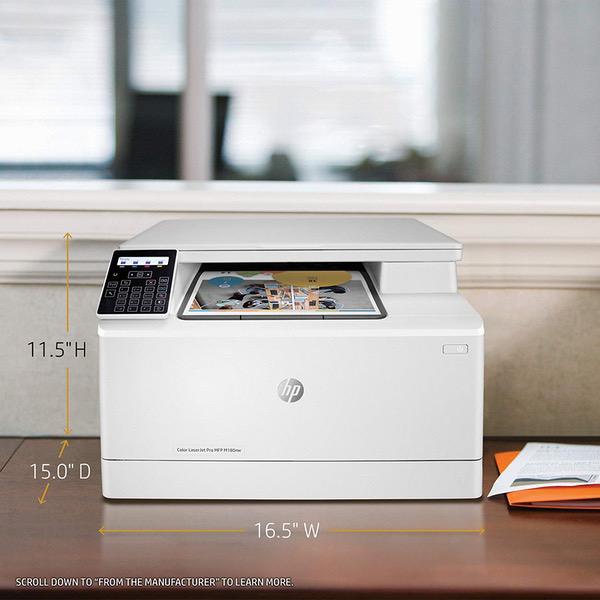
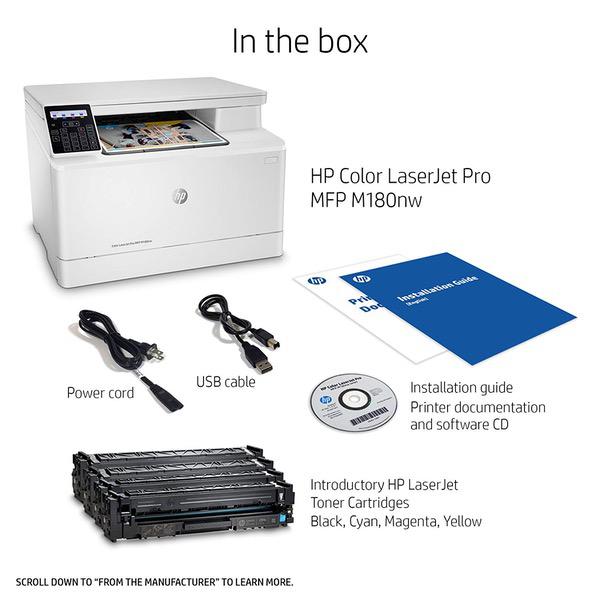
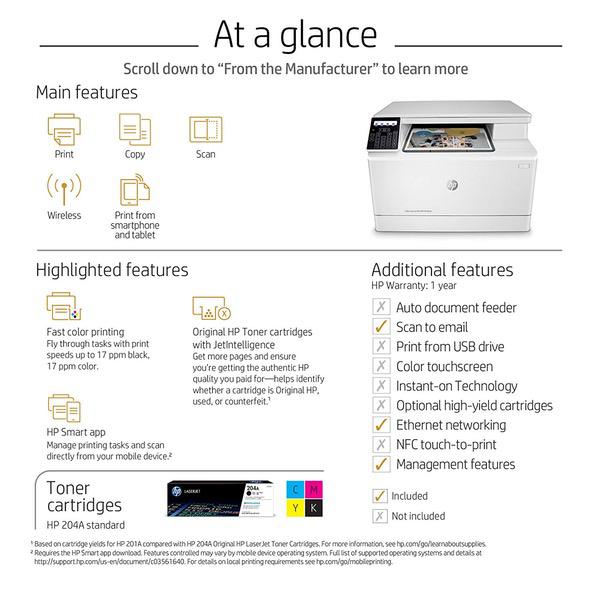
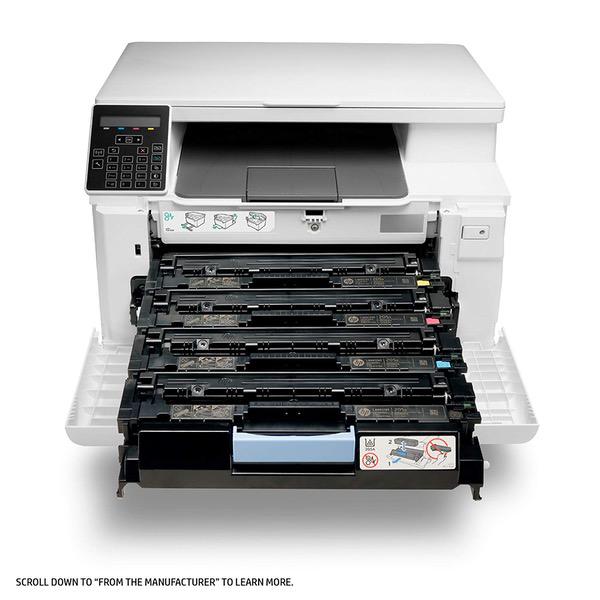
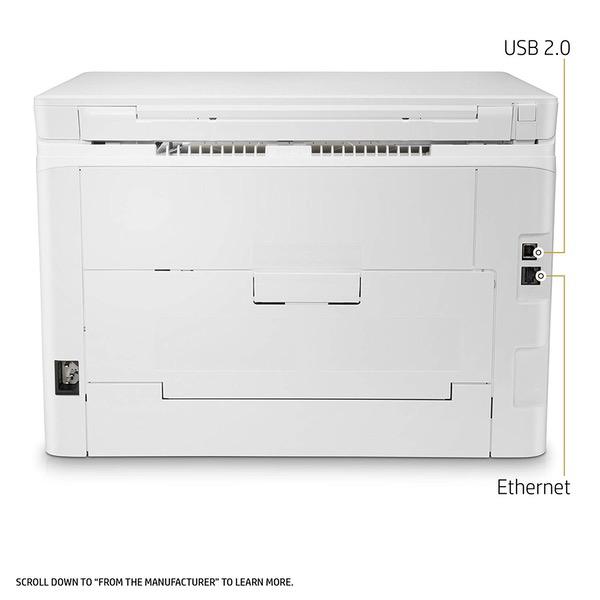
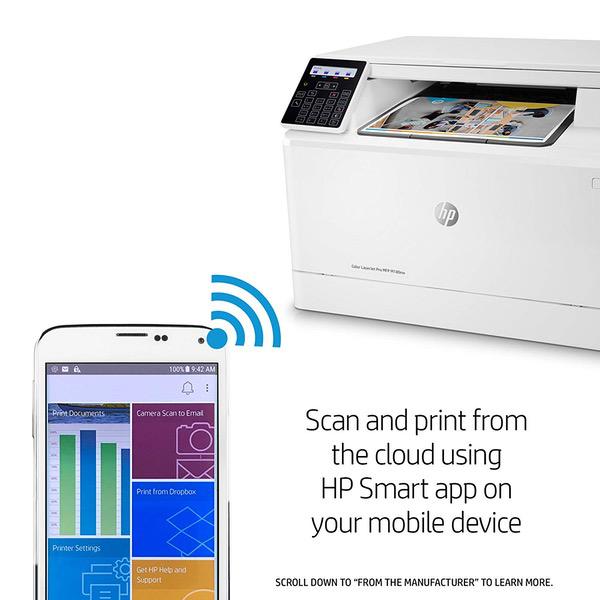
Make sure this fits by entering your model number. ACCELERATE EFFICIENCY – This compact wireless color laser printer features print, copy and scan, delivering excellent color documents for an affordable price FAST PRINT SPEEDS - Print up to 17 pages per minute black/color with this HP color laser printer. Input tray paper capacity up to 150 sheets OUTSTANDING COLOR QUALITY – Count on HP's legendary color quality with this all-in-one wireless laser printer. Produce outstanding color documents by using Original HP 204A Toner cartridges EASY MOBILE PRINTING – The highly rated HP Smart app allows you to easily set up your printer, scan from your smartphone, order toner, and print from the cloud—such as iCloud, Dropbox and Google Drive PRINT WITH OR WITHOUT WIRES - Print, access and share resources on a network with this wireless color printer's built-in Ethernet and wireless capabilities. Those without a network can connect mobile devices directly to printer using Wi-Fi Direct WIRELESS CONNECTIVITY YOU CAN COUNT ON – Have confidence in your connection with steady performance from dual band Wi-Fi ON WHEN YOU NEED IT, OFF WHEN YOU DON’T – Help save energy with HP Auto-On/Auto-Off Technology—intelligence that can turn your wireless laser printer on when you need it and off when you don’t ONE-YEAR LIMITED HARDWARE WARRANTY – 24-hour, 7 days a week FREE HP Web support.
Reviews
3.8
Reviews: 20
5 stars
40%
4 stars
40%
3 stars
0%
2 stars
0%
1 star
20%
Happy Consumer
1
I bought this Laserjet Pro so I could have wireless connection and professional looking prints. This printer has had minimal use and set up went well. It worked fine with my internet and 2 days ago , out of the blue, it stopped responding. I looked up support and was directed to call support. this ended up being an Amazon tech that basically read the manual to me. Since they couldnt help me, I received an email for HP support. That number directed me to the online manual. Through my own troubleshooting (no thanks to the support) I have to have my printer plugged in directly to my modem and also can not scan more than 1 page at a time. This is another major problem for me. At no time have I been offered an exchange or refund. I have owned many HP products in the past and felt confident in this purchase and boy, was I let down. There seems to be no additional help with this product. I have reached a dead end with no support. I will not purchase another HP product if this cant get resolved.
Erik F.
5
I decided to buy this printer after wrestling with my Brother Inkjet printer for far too long (MFC-J4420DW). I use my printer infrequently, and I was constantly having to purge / clean print heads, and buy more ink cartridges. After having to go through that exercise numerous times, I ultimately received an error message that "the ink absorber pad" was full. so basically after spending countless hours, and money on cleaning and replacing ink. Brother was giving me the middle finger and telling me to buy a new printer. So not only did I see the inkjet printer is a complete scam, I will never again buy a Brother printer. This new HP Laserjet (MFP M180nw) has been amazing. Not only was setup super easy - I did little more than connect it to my home network via ethernet - but it prints fast and flawless. MUCH faster and better looking printing than the Brother inkjet. I will update once Ive had a feel for longevity and economy of toner. For now, I highly recommend it for home or small business users who are tired of being scammed on ink cartridges.
V. Thompson
4
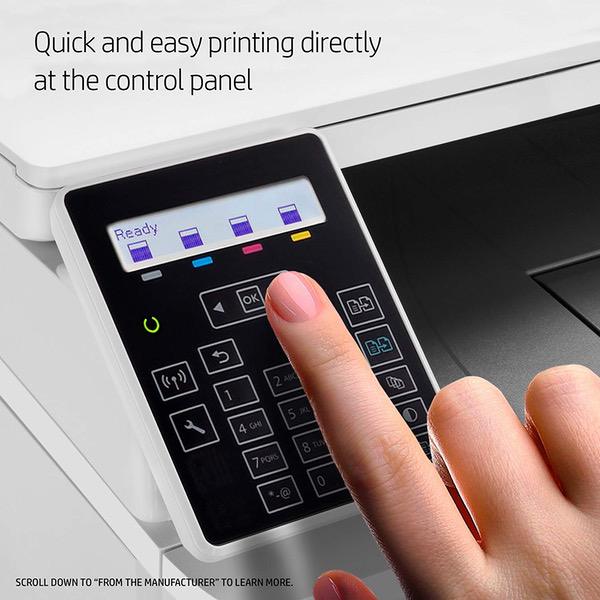
The print quality is excellent. Ive not yet had to change the toner. The light panel where you read/touch the controls is a terrible design...you can hardly see it and the prompts do not make intuitive sense. The directions for getting the machine online are also not great and I followed the helpful hints provided by other amazon customers who provided help.....thanks fellow Amazon reviewers. If you purchase this follow their advice.
Terry Weiss
4
the prints are great - when you can get it to work. the drivers on the HP site werent up to date with my OS, so I had to get a friend who has an in at HP to send me a link to drivers that would work. Finally, I could print from the computer to the printer. Then I tried making copies - I down loaded the manual and found it takes 5 steps to get a copy made - fine copy - but way too complex - and it doesnt always make the copy - hit or miss. So far Ive made one feeble stab at scanning - I could see the document on the screen, but the printer was "asleep" and wouldnt scan. I suppose Ill get myself together to spend an afternoon figuring it out. The images are so nice, I really dont see why this printer is so darned complicated. It ought to just work - but each process takes time and is not straight forward. I suppose in time Ill get it figured out - better, as I am about to take the box out of the storage room. Do I recommend it? Only if you have someone to help you get it to function. If not, youll spend time and frustration getting it to do what you want it to do.
Amazon Customer
1
Never got it set up. I couldnt get it to connect to my home network. I followed the instructions, but they led me to screens that did not show what they said they would. By trying a number of things, I got to a "virtual assistant." It was no better than the instructions. It kept asking, "Did this solve the problem." Each time, it gave me more instructions that didnt match what the printer was doing, leading me in circles. HP has (well, had) such a wonderful brand reputation that I find myself dumbfounded that they would release a product with such poor documentation and offer no live support to help customers work through the problems.
Dc
4
Prints very fast and accurately. The scanner works well but is a simple flat bed scanner. You can print multiple pages in a doc set by just switching pages out and clicking the scan button before you click the cancel button. printer cartridges seem to be reasonably priced. The reason for the 4 stars is the software. Scanning software is pretty basic and took me a while to figure out the cancel button is to finish scanning. Why not just say finish instead of cancel? I thought it was going to dump my scan. there are other limitations with the software compare to other MFPs I owned but overall a good and fast printer.
Jose
1
This printer prints beautifully, but to get the wireless to work is a nightmare. It drops your settings and connections requiring you to troubleshoot and reconfigure it every time you want to print. Used to be a computer technician that would install these kind of things. HP devices are usually frustratingly difficult, however this device takes the cake. The menus are buggy as sometimes hitting the okay button to select things on the wireless menu send you to the main set up menu, making it to where you are locked out of wireless settings. So you have to do a hard reset if it bugs out on you during trouble shooting. Initial set up is not user friendly and trying to reprogram it onto a new router after your initial one is seemingly impossible. Listen to the other reviews here about this device, this printer will give you trouble.
J.C.Phillipps
4
Im an artist and occasionally print up my artwork to sell as prints at art shows. I was looking for something that could print color as well as black and white with good color saturation and crisp lines. Ive tried at least three different brand name ink jet printers - who all work great for 3 months and then start to suck a$$. So finally, after years of cursing and wasting money on ink, I bought this laserjet. Today is Day 1 of the the HP Laserjet experience. Set up was a little confusing. We did wireless set-up, but we did need the USB cable for the first half. It took about 45 minutes to get everything going. The black and white printing has been good. Then I tried color on card stock. Oh no! Horrible! Its like the ink can settle in, so then the printer pushed the paper out, the top half of the image was smeared down the paper. But I switched to regular paper, and the color image was fine. Ill invest in nicer paper for my color prints, but just know that this printer cannot handle card stock. Otherwise it seems like a good fit. Its only 34 lbs and fits on my desk without issue. It made a lot of clunky noise when we first plugged it in, but now it runs smoothly and quietly. Printing color on the laser jet takes longer than on an inkjet, but thats not an issue for me. Seems like a good printer. So far, I am happy.
ksj
5
I do like the quality and speed of this printer, but it is tetchy. The computer doesnt always recognize it, it also goes into sleep mode and does not wake up when you set up a new print job, as it is supposed to do. I have to physically turn it on, thus totally negating the "remote" feature. However, when it decides to print, it does a great job! Update: It finally refused to be recognized by my computer, which caused me to call HP. The tech took control of my computer, changed a few configurations, and now it works perfectly, including the remote features. It does not use a lot of ink, and the prints come out fast, crisp and clear. I am now a converted total fan. Of course its only been 3 days since the tech call, but so far so great!
Frank
5
This was for home use. About 6 months ago, I decided to upgrade from my 10 year old Canon inkjet printer/scanner when a Windows 10 update caused the scanner for in the old printer to no longer function. I wanted another combo printer/scanner, and was going to get another inkjet one, but I saw that this color laser/scanner combo was fairly inexpensive. I am very glad I went for this upgrade. Printing is so much faster and quieter, and the quality is great. Pretty close to magazine quality. No more smudges like I was getting with the inkjet printer. I print about 20 pages at a time once or twice a week, and this finishes the job in a minute or so vs the much longer wait with the inkjet. I got paper jams every two or three printings with the inkjet, but have yet to have a paper jam with this printer. I like the bar graphs on the printer display that constantly show exactly how much of each color toner is left. After 6 months with printing say 100 pages a month, all the bar graphs are showing still over 50% remaining. The fact that each color has its own cartridge is a plus as well, because on the old inkjet I would often run out of one color and have to replace the entire 3-color cartridge.

Showing 10 of 20 reviews

Product variations
Column filling
Sort by Price Sort by Availability Sort by CODE Sort by Style
Contact us for a price
Available
B073RFXMWP
Style:
Printer
You may be interested
  • Bestsellers
  • Recently Viewed
 
Similar products
KD669.00
Operating System Windows, Mac Printer TechnologyInkjet
KD379.00
Operating System Printer TechnologyLaser
KD474.40 KD1,186.00 -60%
Operating System Windows, Mac Printer TechnologyInkjet
KD104.00
Operating SystemWindows Printer TechnologyInkjet
Show more




