
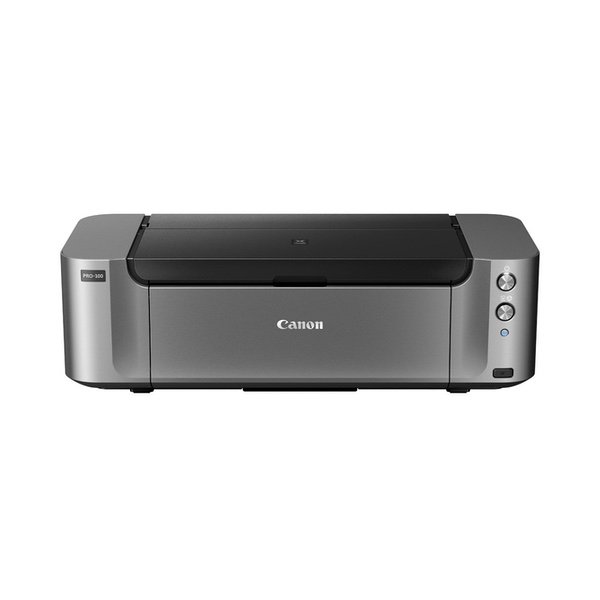
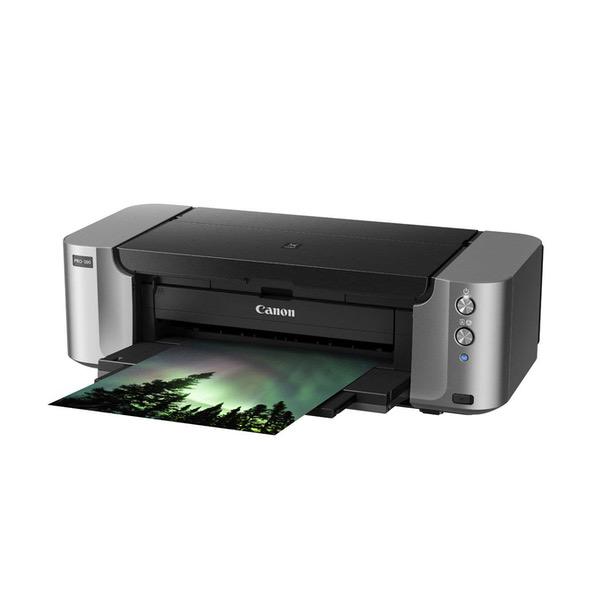
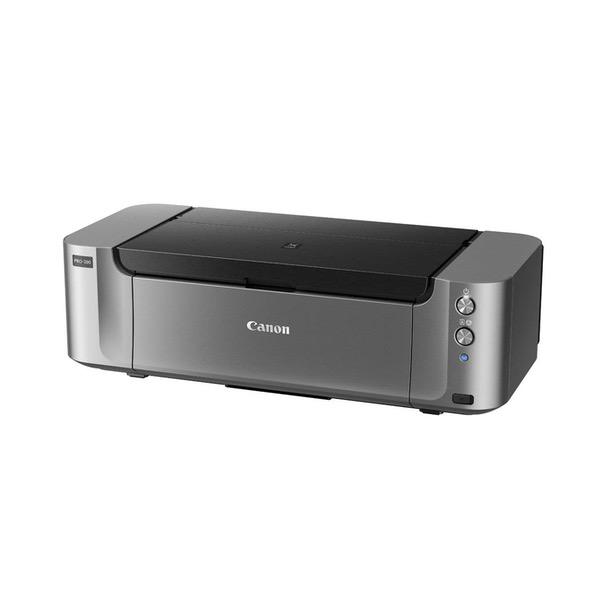
Canon PIXMA Pro-100 Wireless Color Professional Inkjet Printer with Airprint and Mobile Device Printing (6228B002)
Write a review
KD298.00

Canon PIXMA Pro-100 Wireless Color Professional Inkjet Printer with Airprint and Mobile Device Printing (6228B002)

Write a review
B0095F5BCS
Printer
+
Add to wish list
Target is a general merchandise retailer with stores in all 50 states and the District...

City: KW, New York

Delivery
Pickup at your own expense
Tomorrow from 09:00 to 20:00, Store location
Free
Payment options
Apple Pay Google Pay Mastercard Visa
Cash, bank card, credit/installment payments, cashless payment for legal entities
Warranty and returns
Exchange/return of products of proper quality within 14 days Official manufacturer's warranty: 12 months
Features
Connectivity Technology
USB Cable | Wi-Fi | Mobile Memory
Item Dimensions
15.2 x 27.2 x 8.5 in
Item Weight
43.2 lbs
Operating System
  • Windows, Mac
Printer Output
Color
Printer Technology
Inkjet
Style
Printer
Wireless Type
802.11bgn
Description
  • 8 Dye based inks for amazing gradients and color, 3 of which are dedicated grayscale inks for beautiful black & white prints
  • The Optimum Image Generating System reproduces colors as you intend them by logically selecting the optimum ink combination and placement. Output Tray Capacity- Auto Sheet Feeder- 150 Sheets of Plain Paper.20 sheets Photo Paper (4x6); 10 sheets (Letter/8x10); 1 sheet (A3+). Manual Feeder- 1 sheet of Photo Paper (all sizes)
  • Compatible with Individual CLI-42 Ink Tanks (Black, Gray, Light Gray, Cyan, Photo Cyan, Magenta, Photo Magenta, Yellow). Save Even More On Value Packs. Only Replace The Inks That Run Out
  • 4800 x 2400 dpi with FINE technology for incredible detail.Print your Vision up to 13" x 19": Print professional quality photos on various media up to 13" x 19"
  • weight : 43.2 in bullet point.Number of Nozzles: 6,144
Reviews
3.3
Reviews: 20
5 stars
50%
4 stars
5%
3 stars
5%
2 stars
5%
1 star
35%
Light Seeker
5
I got this printer after printing photos on an Epson R1800 for years and the Epson was at the point where it needed to be sent back to Epson for major head cleaning or replacement or get a new printer. I was never really happy with the way the Epson consumed ink like crazy. Plus, it was hit or miss whether there was going to be banding or streaking on the print. Lots of paper and ink wasted. I pored over the reviews of various options for fine photo printing and came across this Canon Pixma Pro-100 for less than $300, and since the price of the Epson when I bought it new was right at $500 and I had had it for about 10 years, this looked like a good deal. And, it was and is. Ive run about 8 or so test prints of photos of landscapes with lots of colors, few colors, light colors, dark colors, solid colors and so on, and the output colors on glossy paper (havent tried matte paper yet, since Im not a fan) are spot on with whats on the screen (iMac 27" 5K display). Ive tried it with Red River 96 lb. glossy to Epson papers I still had, to some HP paper that someone gave me, and the print quality and color rendition is consistent from one to the other. Im going to be ordering some Red River Polar Gloss Metallic and see how it does in large format. I printed a black and white print and it showed absolutely no color cast. I think Im going to enjoy doing more black and white photography now. Ive been keeping my eye on the ink levels of the setup inks and theyre going down, but not as rapidly as I remember the Epson R1800 going through them. It seemed as though every time I turned on that printer it was hungry for one or more colors. The only problem was setting it up. I tried using the CD software that came with it, and I would get to the same point in the install and it would stall on my iMac running OS 10.14 (Mojave). I think Mojave may have been too new for the software; so I went to Canon online and downloaded the individual pieces that the CD was trying to install and got everything I needed, including the latest driver. If youre thinking of purchasing this, make sure you have the space for it, because its huge and weighs about 50 lbs. But, its fairly quiet and has a quiet mode that I havent tried yet. In sum, if you want professional quality photo prints that are faithful to the colors on the screen, up to 13 X 19, then I recommend this printer with no reservations.
Chief301
1
So this printer arrived today and I was really excited about it. I spent the day at work imagining the pictures I would print out and how great they would look. I was very excited because I have never had a printer that was better than a low end bargin, simply because I could always buy prints online. I decided I wanted to take my photography to the next level and ordered this unit. I rushed home after work and set it up. I kind of felt like a little kid on Christmas. I got it hooked up, set up the wireless with very little effort. Time to print. The first print looked like and old film negative I tried a few more same results after about 30 minutes its on the phone. Come to find out the print head is only firing on one side so all the colors are not being used. Canon is sending me a refurbished unit to replace my brand new unit I have had less than 12 hours. I basically get another junker someone sent back. Thanks a lot canon. Maybe this one will at least work upon arrival.
jowct
5
I finally tired of my Epson 3800 draining its $55 ink tanks to unclog the machine, so purchased the Pro-100. First and foremost, no conflicts of interest. I was amazed at how easy it was to set up wirelessly and have been blown away by the vibrancy of the prints. Dye indeed has tons more "pop" than pigment causing images to jump off the paper. Further, the printer is incredibly quiet and, even at custom settings, extremely fast, so much so that I have to break my habit of hitting the print button and going back to PhotoShop the next two prints waiting for the first to emerge. The printer is also built like a tank--well, a plastic tank--but a tank nonetheless--it weighs as much as a sack of cement. Finally, although Im sure Ill not be thrilled at paying more than $100 for a full quotient of ink, the printer, with rebates, was almost free. I had been a diehard Epson fan. They still do excellent work, but am not looking back.
William R. Losey
1
Canon is full of surprises! 1) To use the paper feed on TOP of the printer you must select "Rear" To use the paper feeder on the back of the printer you select "Manual!" Once you know that Canon developers dont know their REAR from their backside, this is not a problem. I just wasted a few hours to discover this language issue. 2) This issue is a huge one. If you print on Fine Art paper continue reading. In Canons infinite wisdom they force a 30mm margin on all fine art paper. This means you cannot print an 8 x 10 piece on an 8.5 x 11 paper. It automatically shrinks the image. This can easily become a problem printing on any sized fine art paper. I spent nearly an entire day trying to figure out what I was doing wrong. Their tech support folks couldnt figure out why my images where being reduced in size. This morning I was told the reason for this was printing to the edge of fine art paper can cause the paper to curl. I guess they never thought about disallowing printing a full bleed image. I have been printing 8 x 10 images of 8.5 x 11 fine art paper for quite a few years on an Epson printer.
Bright Baby
2
The printer quality is very good, but it is nearly impossible to get it to work well consistently. Ive had issues with connectivity, required reboots to establish network connections, 306 connection errors mid print, unable to get borderless printing, etc etc. There should be an amazing utility suite, there should be a high-quality buffering system so it only prints what it has fully in memory to be able to complete, the documentation is from the 80s. Im sure some of this is resolvable with more effort, but thats not enough in a $400 printer. If you just want to print some photos using their jank software, its probably fine. But if you are looking for a high-end printer for a wide variety of uses, and have your workflow in Adobe, steer clear.
SM3
5
I needed a printer that would print on 100 lb cover cardstock. This works perfectly. I also use it to print photos and it does a great job. Ive had it for almost 2 years. Still works great.
Curtis
5
This is a PHENOMENAL and reliable art printer. I am not at all resentful of the amount of space it takes up in my studio. Im SO happy to be able to print my own gallery-ready work these days. It streamlines everything, and the results are just stunning. I couldnt recommend this more to artists who are tired of placing print orders for hundreds of dollars. The ink and upkeep here, in my experience, really make that a thing of the past. The work Ive printed with this has sold well in galleries, and impresses everyone who gets close.
Peter W
1
I really wanted to like this printer. The inks arent cheap but it prints outstandingly well. Unfortunately it failed after four months and that kind of takes the edge off the positive feelings. Ive seen other reviewers report the same thing - Paper feed error / Paper jam and a blink code. My wife was using it when it happened - it printed a page just fine, ejected it cleanly, and reported a paper jam. There was no paper damage on the sheet that it had just printed. All the paper is accounted for. If you look carefully you can see where the paper sensor / micro-switch mechanisms are and they are quite clear. Manually feeding a sheet through will cause an audible "click" as the paper reaches it and another other click when it clears. Repairs and warranty.. What a nightmare. It still is in limbo. The service center tech confirmed that there is no paper jam, but were still waiting.
sophie wickham
1
We have had this printer for three months. We use it daily. First of all, it is astonishing how much ink it goes through. There is constantly ink blots on the prints, ruining the whole sheet. It gets clogged with no warning and will print miscolored. So a whole run will be ruined with no notice. It is incredibly finicky and difficult to use. It the worst printer weve ever purchased, I was hoping it would be a great replacement for our beloved Epson 1430 but it is definitely NOT. Dont bother!
hailey
5
I bought this printer in 2013 (5 years ago). Back then I had gone through about 3 HP and Epson printers that each only lasted a few months before breaking. I was just starting my handmade business back then and decided to throw money at my problem by buying this printer. I honestly assumed it would only last a year (Ive never had a printer last longer). Guess what? Its been five years and I am still loving this printer. Ive only had about two issues that I was able to troubleshoot myself. TWO small technical issues in FIVE years! I now also own a Canon Laser Printer and a super cheap and old Canon Inkjet for printing invoices and documents. All three of my Canon printers have worked wonderfully and have seriously helped my business. I dont know what I would do without them! I now recommend Canon Printers to everyone. A couple things to note: - The wireless printing featuring can sometimes be a tad tricky for me to set up when Ive moved to new offices. (That may be a problem with my router though) - If you are letting your printer sit for longer than a few weeks, run a printhead cleaning every week or so to keep them from getting clogged or your ink drying out. - The ink is pricey. However, you are getting something pretty close to professional printing so its worth it. - Since the ink it pricey, If you want to print documents etc, I would recommend buying an older model non-professional Canon printer. (I recommend the Canon MG2520) - Im pretty certain the ink that came with it was a full package of inks, not a "sample pack" like some printers come with. - The inks light up when they have ink left and flash when ink is running low or depleted which is such a nice feature - My aunt, who is a professional photographer, had some problems with her blacks coming out too light so be sure to calibrate your printer if youre using Adobe Photoshop or Illustrator.

Showing 10 of 20 reviews

Product variations
Column filling
Sort by Price Sort by Availability Sort by CODE Sort by Style
KD298.00
In stock
+
B0095F5BCS
Style:
Printer
Contact us for a price
In stock
B00PMNBRPC
Style:
Printer and Ink Bundle
You may be interested
  • Bestsellers
  • Recently Viewed
 
Similar products
KD669.00
Operating System Windows, Mac Printer TechnologyInkjet
KD379.00
Operating System Printer TechnologyLaser
KD474.40 KD1,186.00 -60%
Operating System Windows, Mac Printer TechnologyInkjet
KD104.00
Operating SystemWindows Printer TechnologyInkjet
Show more




