
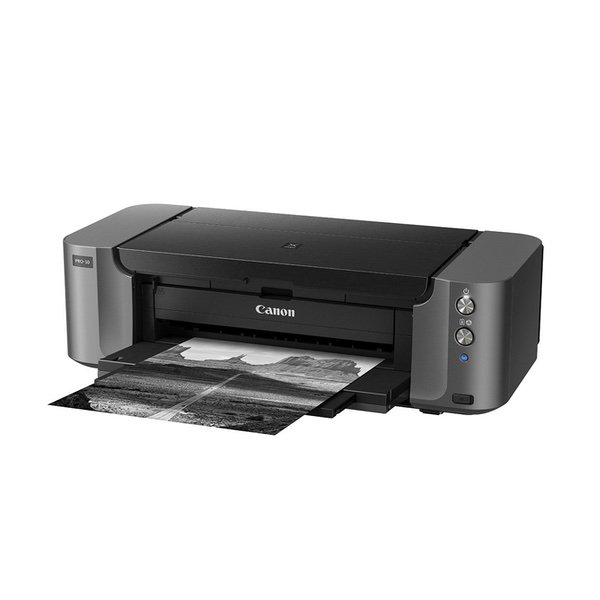
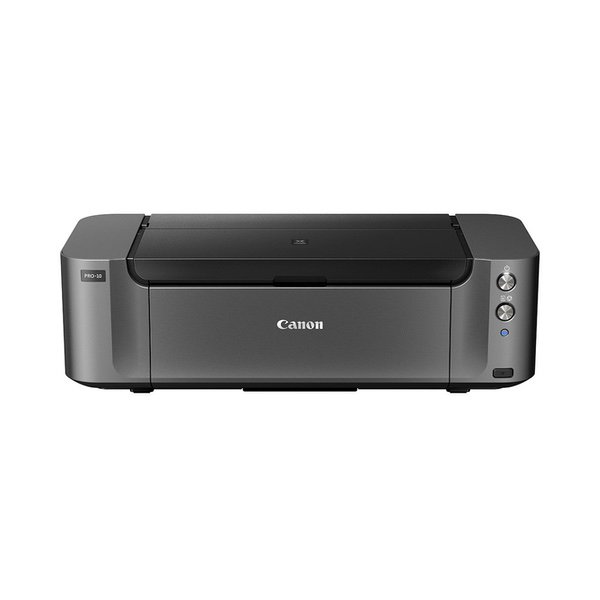
Canon PIXMA PRO-10 Color Professional Inkjet Photo Printer
Write a review
KD355.00

Canon PIXMA PRO-10 Color Professional Inkjet Photo Printer

Write a review
B0095F5BBO
+
Add to wish list
Target is a general merchandise retailer with stores in all 50 states and the District...

City: KW, New York

Delivery
Pickup at your own expense
Tomorrow from 09:00 to 20:00, Store location
Free
Payment options
Apple Pay Google Pay Mastercard Visa
Cash, bank card, credit/installment payments, cashless payment for legal entities
Warranty and returns
Exchange/return of products of proper quality within 14 days Official manufacturer's warranty: 12 months
Features
Connectivity Technology
Wireless;Ethernet; USB
Item Dimensions
15.2 x 27.2 x 8.5 in
Item Weight
43.9 lbs
Operating System
  • Windows, Mac
Printer Output
Color
Printer Technology
Inkjet
Wireless Type
802.11bgn
Description
This fits your .
Make sure this fits by entering your model number. The PIXMA PRO-10 shares technology with the rest of the PIXMA PRO line utilizing the Optimum Image Generating System to ensure what you envision is exactly what you get The combination of Pigment based inks and Chroma Optimizer adds uniform glossiness, a wide color gamut and dense blacks for the satisfaction of the professional user The Optimum Image Generating System reproduces colors as you intend them by logically selecting the optimum ink combination and placement Compatible with Individual PGI-72 Ink Tanks (Matte Black, Photo Black, Gray, Cyan, Photo Cyan, Magenta, Photo Magenta, Yellow, Red, Chroma Optimizer). Save Even More On Value Packs. Only Replace The Inks That Run Out! Three dedicated monochrome inks for amazing black & white prints
Reviews
3.7
Reviews: 20
5 stars
45%
4 stars
10%
3 stars
20%
2 stars
15%
1 star
10%
MarkFromWilmington
1
Im now on my second defective printer. The first one came with a defective print head, which prevented me from being able to get set it up, and once Canon helped me get it up and running it couldnt stay connected to wifi. Canon technical support sat on the telephone with me for over an hour, and finally decided it was defective and sent me another printer. I plugged the second printer on and when I powered it on the lights were it had flashing. According to the technical manual, the printer has a problem which requires me to call technical support yet again. Cannon Technical support isnt open on weekends, so despite my having purchased one of the most expensive home printers on the market Im stuck again without a working printer. Ive watered hours of time trying to get this printer setup. Canon technical support is marvelous, but who wants to spend hours with technical support for a brand new product? Also Canon seems to forget that consumers of personal printers often need setup help on weekends. Another note: Canon seems to have rebates on this printer every month. Check online that the seller is listed before you choose who to buy from. Here, also note that some of the low price sellers are probably taking the rebate at their end, so you arent going to be buying the printer for ~$400 and then get the rebate.
RunningRivers
4
I love the print quality! It is very slow and the ink when buying all at once is a little pricy. However, I’ve experienced no ink clogs so far (like I did with the Epson I used to have), so all is good, just a little slow:), but worth the price for the quality and no clogging!
twelve feet under
3
Third times the charm I suppose. First one arrived defective in that the carriage constantly jammed. There was no damage to the carton, so this was simply a poorly assembled unit. The second unit worked well other than the orint heads dragged and badly scratched any paper that went though, be it HP brand photo paper, or even standard printer paper. This according to tech support is a common issue. The third replacement unit so far has worked flawless from the start. Glad I got the extended warranty on this because I have a feeling Ill need it.
Jamar Williams
3
I have a canon 9500 mark 1 and a canon 9000 mark 2 that I rarely use. I wanted a printer hat could give me the results of the canon 9500, but was more current and could be used on a wider variety of paper. my work flow/settings for the 9500 is manual printing ,linear setting and brightness +2 . I have found that this produces a picture that is 96- 98% accurate to what is on my monitor; especially if I use adoramas "smooth silk" paper. When I set up the canon pixma pro-10, I discovered to my dismay that it doesnt have linear as a option under manual settings , instead it has a pro-mode which is supposed to accurately print what is on your monitor.....well it doesnt I tried to tweak it adust it use icc , what ever the color is always slightly off and/or darker . I mean the pictures are fine and usable but arent perfect matches to whats on my monitor which is the reason I dont use my 9000 mark 2 that often. I think i would have been better served buying the 9500 mark 2 .
Amazon Customer
2
I did not think a printer could use more ink than the Epson, but this printer takes the cake. It drains cartridges without even printing. It makes me wonder if it is programed to stop using the cartridge at a certain point in time rather than actual use of ink. This is a very expensive printer to use!
C. Bradley
5
Glad I stepped up to a professional level of machine. No more occasional non-WYSIWYG colors; this machine prints what you see on your screen. Love the versatility of easily loading other sizes of paper, such as ability to print just one 4x6 on that size sheet without having to waste an 8-1/2x11" sheet. Tray that catches printed paper is better design, doesnt stick out so far into the room. Oh, one thing that will save you some time: The trays are misnamed in all the written literature and online; What Canon calls "The Rear Tray" is actually the FRONT loading tray and the name they give the far back loading tray is "Manual Feed", which SHOULD be called "The REAR Manual Feed Tray" --IMHO. The software included [My Image Garden] is good but only for only typical-sized projects [ie..4x6, 5x7, 8x10]; it CANNOT accept custom size art papers...or photo papers]. I learned the hard way and spent many hours not realizing this --until I finally contacted Canon re my trouble with this. I suggested to them to make this pertinent information more prominent in their demos, tutorials, and My Image Gardens website. I hope they follow through so others dont waste time with this. But love the printer!
Jake
2
I bought the pixma pro 10, about a year ago. I’ve just received my third one in the mail, due to the printer constantly breaking. So, long story short I receive the first printer in the mail, brand spanking new. Un box it, turn it on, runs fine that night. Next day I go to make a print, the printer doesn’t turn on. I do the usual troubleshooting, everything is fine. So canon replaced this printer with a new one via factory warranty. The second pixma pro 10 worked fine for a few months, made great prints, no issues what so ever. Last week, it died on me again. SO, I go through the usual troubleshooting again. Everything was untouched, and fine. Canon again replaces my printer. Today, I’ve just received my third printer. Haven’t opened the box yet. So wish me luck with this one. All in all, the pixma 10 makes great photo prints on a semi gloss paper, and beautiful prints on luster. (Both paper qualifies I suggest) plus canon has very friendly customer support. unfortunately canon can’t seem to design a printer to last. So, if friend asked me if they should buy a pixma pro 10, I would say “a heft no”
Claudette E. Eaton
1
All printing is preset for Canon. Cannot work with Photoshop cannot customize settings to fit the project youre working on. Colors cannot be adjusted. Paper cannot be adjusted. Will accept nothing but standard sizes that Canon chooses. Frustrating printer to work with. Cards that I printed using Epson printer and Photoshop would not print no matter how many times I altered settings and corrected media settings. Very unhappy and discouraged.
SusanK
5
With the demise of my Epson R1900, the search ensued for a replacement printer. A fellow photographer recommended purchasing a Canon. I respected his suggestion, but I didnt stop there. After reading many reviews, I decided to go with the Canon PIXMA PRO-10. I have to admit, the price of the unit was also a deciding point. Once the printer arrived, I was surprised at the size and weight of the machine. Plus, the installation of the printer head came with some confusion. This procedure was absolutely new to me. Finally, I figured out that it slid in on a slight angle. After making some slight color adjustments, I was good to go. All in all, Ive been very pleased with the print quality and color. In conclusion, I am glad I decided to make the hard choice of breaking away from Epson printers to go with the Canon.
WDB
5
I bought this printer because I wanted the longer display life of pigment prints, I have had enough Dye based prints fade on me to the point of unexceptable color that I decided it was time to get a new printer and retire my old printer. I have owned quite a few inject printers and the one brand of printer that I have never had a problem with is Canon, I live in a fairly dry area and I have had lots of clogging issues with Epson printers, the prints usually looked great but wasting ink on cleaning cycles was costing me too much money. The only HP inkjet I ever owned was a 24" wide Designjet 130, it never clogged up on me but it had to be repaired 3 times before I made 100 prints, it was such a nightmare I gave it away. My only concern with the Canon Pixma Pro-10, was would the print quality look good enough compared to the dye based printers I have used? Well in my opinion the prints look great and have very little issues with gloss differential that I had seen on some pigment prints in the past. The cost of ink seems reasonable compared to my Epson 1400 where it cost as much for a set of 6 cartridges as the Canon 10 cartridge set. Here is a idea of ink usage for me so far, I have printed 37 8" x10" photos, 2 18" x12" photos and the two alignment patterns on plain paper. All of the photos except 3 were printed on glossy paper, the remaining 3 were printed on matte paper. My photo magenta, photo cyan, yellow and photo black cartidges are showing ink levels about 3/4s full. My color optimizer and gray cartridges are showing a little less than half full. My magenta, red and matte black cartridges still show full on the ink usage display that pops up when you print The only concerns in my mind for anyone considering this printer would be the size of the printer, it is rather large so make sure you have room somewhere to put a printer that is 27" wide and also I have read it is a good idea to print at least one photo a week to prevent head clogging.

Showing 10 of 20 reviews

Product variations
Column filling
Sort by Price Sort by Availability Sort by CODE
KD355.00
Available
+
B0095F5BBO
You may be interested
  • Bestsellers
  • Recently Viewed
 
Similar products
KD669.00
Operating System Windows, Mac Printer TechnologyInkjet
KD379.00
Operating System Printer TechnologyLaser
KD474.40 KD1,186.00 -60%
Operating System Windows, Mac Printer TechnologyInkjet
KD104.00
Operating SystemWindows Printer TechnologyInkjet
Show more




