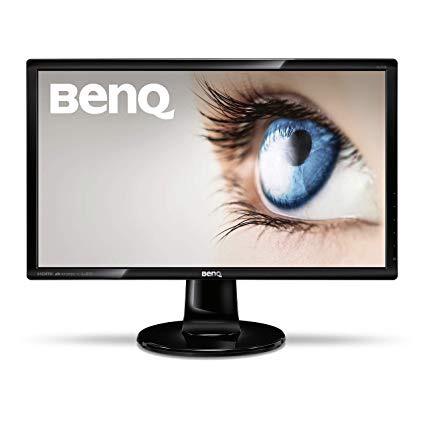
BenQ GL2760H 27 inch 1080p Monitor | 2ms (GtG) Response Time for Gaming | Eye Care Technology for Home and Work
Write a review
KD149.00

BenQ GL2760H 27 inch 1080p Monitor | 2ms (GtG) Response Time for Gaming | Eye Care Technology for Home and Work

Write a review
B00IZBIMLK
+
Add to wish list
Target is a general merchandise retailer with stores in all 50 states and the District...

City: KW, New York

Delivery
Pickup at your own expense
Tomorrow from 09:00 to 20:00, Store location
Free
Payment options
Apple Pay Google Pay Mastercard Visa
Cash, bank card, credit/installment payments, cashless payment for legal entities
Warranty and returns
Exchange/return of products of proper quality within 14 days Official manufacturer's warranty: 12 months
Features
Display Type
LED
Item Dimensions
8.5 x 25.2 x 19.2 in
Item Weight
12.1 lbs
Mount Type
Wall Mount
Refresh Rate
60 hertz
Resolution
1920 x 1080
Screen Size
27 in
Aspect Ratio
1.78:1
Description
This fits your .
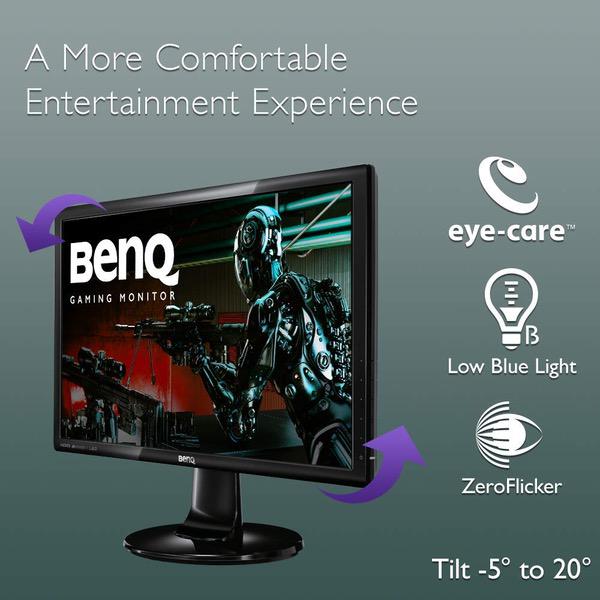
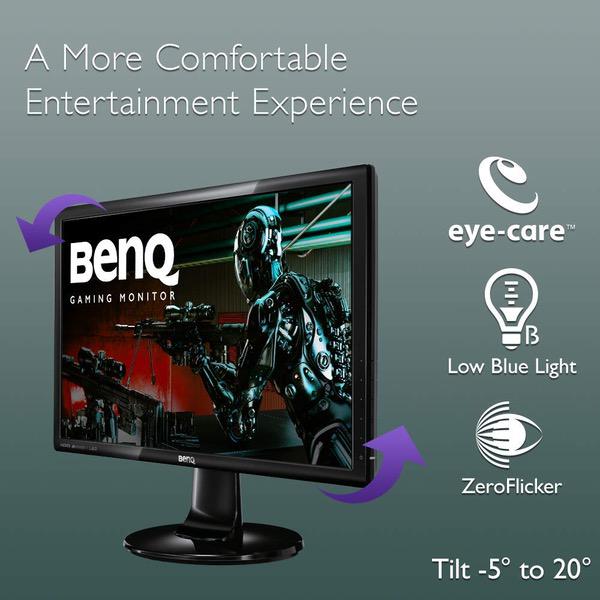
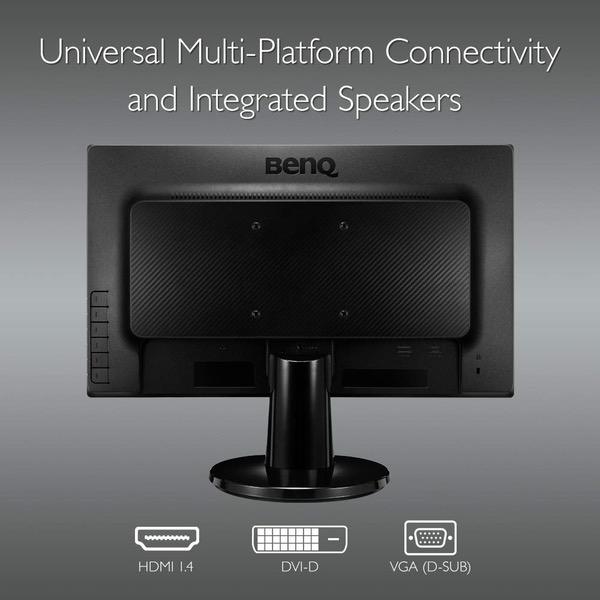
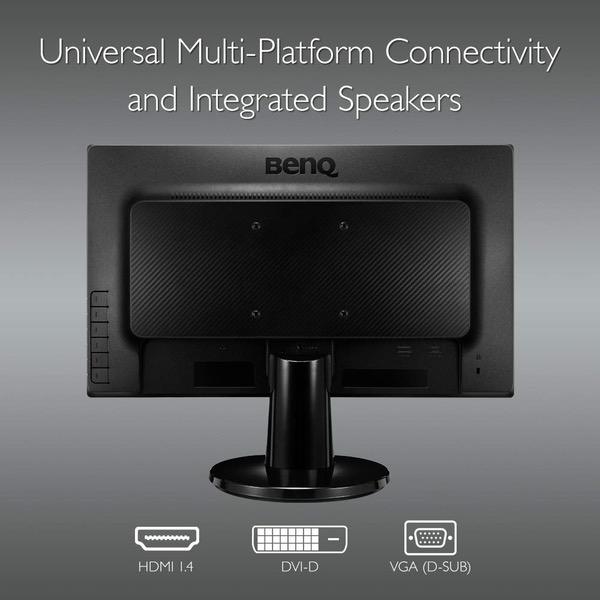
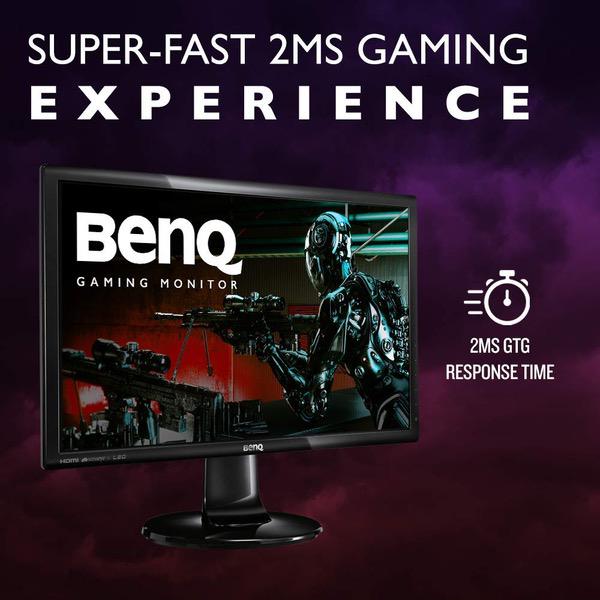
Make sure this fits by entering your model number. 2ms response time for lightning fast gaming performance and ZeroFlicker technology for minimized eye strain and improved eye comfort during long hours of work or gaming Low Blue Light Technology filters out harmful blue light, effectively diminishing eye fatigue and irritation ZeroFlicker technology virtually eliminates flicker at all brightness levels for minimized eye strain and improved eye comfort during long hours of use Ultra High Contrast Ratio: spectacular 12M:1 dynamic contrast ratio – for clear, defined on-screen content Connectivity: D-sub, DVI. HDMI, headphone jack. Refresh Rate: 60Hz. Tilt (down/up): -5˚ - 20˚. OS Compatibility- Windows 7,Windows 8,Windows 8.1, 3 year warranty
Reviews
3.1
Reviews: 20
5 stars
30%
4 stars
20%
3 stars
10%
2 stars
5%
1 star
35%
Steve
5
I had some small difficulty getting it work on a Display Port to HDMI cable at first, but once I did it works and looks great. I use it on a Solar powered system so I really like that it only uses 30 watts, and it turns off when I turn off the computer, only using 3 watts while in standby mode. If you actually turn it off it uses no electricity. Believe it or not, that is not true for most desktop computers themselves and almost all TVs used as monitors, and even a few monitors out there. So, on a real cloudy day where I am not getting much power, I can make that choice without having to put it on a separate switch. I know, its a small thing. Also, if this matters to anyone, I use it on both Windows and Linux (several different distros). Being inexpensive is all a big plus.
ronmon
5
Ive been happy with ASUS monitors for years, but decided to take a chance with BenQ considering the good reviews and low price. I was not disappointed. It is being used in a dual monitor setup as a second screen and also as a TV by switching inputs, which is incredibly easy to do. The placement of the function buttons (on the back) and the LCD (on the side) is absolute design genius. Once you get used to how it works youll ask yourself why everyone doesnt do it this way. Plus, not having a blinding, blue LED blasting your eyeballs is such a relief. Aside from that, the crispness and brilliance of the BenQ picture makes the more expensive ASUS sitting next to it look rather drab. Ill be looking at BenQ first the next time I go monitor shopping.
theenigma77
3
Bought two of these babies. When they came everything worked out fine. (besides that neither work with display port) After a few weeks I noticed a dead pixel on one of them. I sent in for a replacement, and when the new one arrived it had absolutely garbage color, not matching my previously bought, working one at all. No matter how much I fiddled with settings. So instead of having to deal with this headache again, Id rather just live with a dead pixel. ¯\_(ツ)_/¯
Brian
5
(Initial week or owning, will update if there is ever issues) The GL2760H is amazing, I was worried after seeing some reviews about dead pixel clusters but mine has no issues. The stock settings have beautiful popping colors and the 1080p resolution is extremely clear, I could never go back to a main monitor being bellow 1080p. Theres a very handy low blue light mode, like how phones have a night shift mode, just turn it on at night and its easier on your eyes. (you can save options to the buttons on the side, it comes with low blue light mode as one button but I highly recommend changing it to "Picture Mode" because this lets you go between low blue & standard instead of setting blue and then going through the menu to find the standard option to go back to normal.
Matthew A Tarpey
1
It gets one star because thats the lowest possible rating. Never could get it to recognize HDMI. I went through the menu and set it up and changed some of my display settings and still no HDMI. The support provided by the website is pretty useless too. I sent it back and will go with a monitor from a company Ive ordered monitors from in the past. VERY DISAPPOINTED in the product and the company.
Rebekah N
4
I ordered this Monitor and received it in two days with prime. Upon using it for a few days i noticed it had a purple dot on the screen. (Assuming its stuck pixels I tried to do what Google said to fix it) to no avail that didnt work. So I contacted Amazon and they are sending me another monitor to me. Costumer service was excellent. And other than that purple dot this Monitor is great! Lots of options for plug ins and it is HUGE. (27 Inch) this is a budget Monitor for w great price!!
Petros
1
There is a little to say about a product that arrives in not-working condition. The backlight seems to be dead or something like that. This shows the QA level of the producer and seller both.
DEC
5
got 3 of these running on an Nvidia NVS 450 4-port card via some active DP to DVI cables. All 3 were free of any defects and so far no bad pixels. I was worried with buying 3 that I might get some but mine all look great. I like the positioning in the power buttons on the side because I have all 4 mounted on the wall behind my desk in portrait mode. Used mainly for writing code and the larger vertical runs are great. Would be nice if the menus were smart or could be oriented for portrait. Have to look sideways to do anything via the menu with them in portrait. Thats a bummer. The brightness varies a good deal at side angles with them mounted in portrait so I had to flip the one on the right. Seems they are not really geared to this but its good enough for what Im doing. For the price I think this is a great monitor at this size.
Adam
4
Ok so when I purchased this monitor, it was 149.99, I’ve noticed the price fluctuates and drops quite a bit but regardless, the value of the monitor is well worth it. Material Quality- It doesn’t feel flimsy and weak, the stand is solid but not adjustable at all. As far as will it hold up if it were to take a drop or fall, probably if the drop is small and not on concrete. Picture- For $150 monitor I didn’t expect much to be fair, I just wanted the good response time at a cheap rate, I was low on funds and needed a gaming monitor, so I gave this one a shot. Surprisingly, for the price it’s excellent. Bonus- The eye care they advertise is true, before I used to game on 4K LG TV and I was constantly feeling tired and my eyes would hurt if I gamed for more then 3-4 hour sit down, which I the main thing that inspired me to get a gaming specific monitor. I had a budget and this monitor met the specs I needed at the time, so I bought it. Is there better options as far as monitors? Of course, but not for this price. If your on a budget or having issues with your eyes during long gaming sessions, definitely a monitor to consider. Response time- It’s fast but not the best, it’s better then any tv’s though lol. Would recommend for a budget monitor.
Grumpy in Maine
4
You have to keep in mind this was a very budget minded purchase. It just needed to be bigger then the 20" it replaced because my vision just cant handle to squint and strain to see small type. This is on a computer that we use for basic email, to control the output to my larger television for movie viewing, and on occasion I do small projects in Photoshop and Illustrator. I would not compare this in any way to the monitors at my graphics business, but it was 1/3 the price, and perfectly adequate for home use. I would buy this again for any basic use computer. I dont think I would buy it if I was using it for hours on end day after day. I had no problems getting it working right away.

Showing 10 of 20 reviews

Product variations
Column filling
Sort by Price Sort by Availability Sort by CODE Sort by Screen Size
KD149.00
Available
+
B00IZBIMLK
Screen Size:
27 in
You may be interested
  • Bestsellers
  • Recently Viewed
 
Similar products
Show more